


Windows / Mac OS
Android / iOS
New license
Windows / Mac OS
Android / iOS
New license
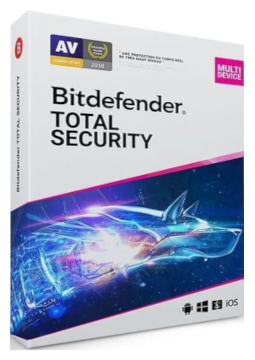
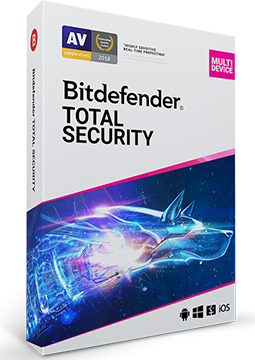
Bitdefender Total Security 1 device, 1 year
41.99 €
Language


Compatibility


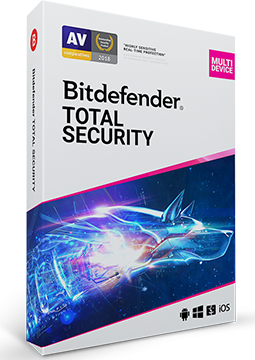

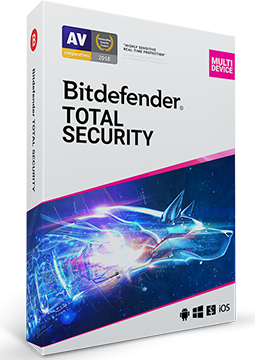

- Description
- Information
- Instructions
Product description
Bitdefender Total Security
Bitdefender Total Security protects Windows and macOS computers as well as Android and iOS phones and tablets with a single licence. Alongside its multi-award-winning antivirus, it offers a firewall, protection against ransomware, cryptomining and scams, the SecurePass password manager, a VPN and tools to speed up your PC. Manage all your devices conveniently from a single Bitdefender Central account.
Key features
Everything Bitdefender Total Security can do.
Bitdefender versions compared
What each version can do – choose the one that suits you.
| Product comparison | Antivirus Plus | Internet Security | Total Security | Premium Security | Ultimate Security |
| Supported platforms | | | | | |
| DEVICE PROTECTION | |||||
| Real-time protection against viruses, spyware and adware | | | | | |
| Multi-layer ransomware protection | | | | | |
| Advanced Threat Defense – behaviour-based detection of new threats | | | | | |
| Protection against phishing and fraudulent websites | | | | | |
| Firewall | | | | | |
| Cryptomining protection | | | | | |
| Scam Protection Pro – AI-powered scam protection | | | | | |
| PRIVACY AND E-MAIL | |||||
| Bitdefender VPN – encrypted traffic | 200 MB/day | 200 MB/day | 200 MB/day | Unlimited | Unlimited |
| System-wide ad blocker | | | | | |
| Webcam and microphone protection | | | | | |
| Parental Control | | | Family plans only | Family plans only | Family plans only |
| Antispam for Outlook and Thunderbird | | | | | |
| Email Protection for Gmail and Outlook webmail | | | | | |
| IDENTITY AND PERFORMANCE | |||||
| Digital Identity Protection with dark web monitoring | | | | | |
| OneClick Optimizer – speed up your PC in one click | | | | | |
| View products | View products | View products | View products | View products | |
System requirements
Where you can run Bitdefender Total Security.
How it works
Frequently asked questions
Product information
| Delivery Method: | Electronically by e-mail |
| Type of license: | New (license validity starts from your first activation) |
| Language: | English, Czech, Finnish, French, Dutch, Hungarian, German, Polish, Greek |
| Compatibility: | Android 5 and later, iOS 11.2 and later, macOS Yosemite and later, Windows 7 and later |
| Licence validity: | 12 months |
| Number of devices: | 1 device |
| Manufacturer: | Bitdefender |
Product instructions
Bitdefender Total Security
Installation and activation
- If another antivirus is installed on your device, uninstall it first (on Windows, then restart the PC) – Bitdefender advises against running two security solutions at once.
- Go to central.bitdefender.com and sign in to your Bitdefender Central account, or create a new one.
- In the left-hand menu open My Subscriptions, click + Activate with code, enter the licence key from your email and confirm with Activate.
- On a Windows PC or Mac, click Install Bitdefender Products on the Bitdefender Central dashboard, choose Install and Download in the Security panel and run the downloaded installer.
- To protect other devices, choose Install on another device > Protect other devices: send the download link by email, copy it or scan the QR code (valid for 24 hours). On a phone you can also install the Bitdefender Mobile Security app from Google Play or the App Store and sign in with the same account.
- On a Mac, allow the system extension and Full Disk Access; on a phone, switch on Web Protection. You can check that the licence is active and when it expires in Bitdefender Central under My Subscriptions.
––––> How to activate a Bitdefender subscription with a code <––––
––––> How to install Bitdefender on Windows <––––
––––> How to install Bitdefender on another device <––––
