Sometimes it can happen that the delivered email with the order ends up in the SPAM folder. It is therefore necessary to check junk mail as well. Thank you.

FREE gift with every order.

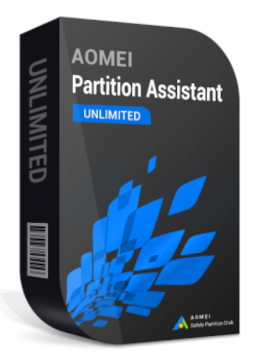
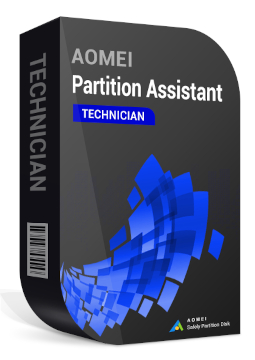
AOMEI Partition Assistant Technician unlimited devices

648.99 €

In stock Expected delivery within 5 minutes. Delivery within a maximum of 15 minutes. The licence is lifetime. Lifetime warranty.
You will receive this product digitally by e-mail

Delivery Method

  • Electronically by e-mail

Type of license

  • New

Language

Compatibility

Licence validity

  • Forever

Number of devices

  • Unlimited devices

Manufacturer

  • AOMEI

Product variants

Product description

​  Disk and partition management, no data loss

AOMEI Partition Assistant

AOMEI Partition Assistant is a disk and partition manager for Windows that lets you extend, shrink, split or merge partitions without losing data. It migrates your system to a new SSD, converts disks between MBR and GPT and recovers lost partitions and deleted data. Depending on the edition, you can use it on a home PC, on servers or across an entire company. Change partitions and move your system without reinstalling Windows or losing data.

​
Resize partitions
Extend, shrink, move, split or merge partitions. You can even resize BitLocker-encrypted partitions.
​
Migrate OS to SSD
Move Windows to a new SSD or HDD without reinstalling, or clone an entire disk or partition.
​
MBR ↔ GPT conversion
Convert disks between MBR and GPT, dynamic to basic and NTFS to FAT32 and back without data loss.
​
Partition and data recovery
Bring back deleted or lost partitions and recover deleted files.
​
Free up disk space
App Mover moves apps to another drive, while the program also finds duplicate and large files and cleans up your PC.
​
Bootable media and repairs
Create bootable media, repair startup problems, rebuild the MBR and reset a forgotten Windows password.

Key features

Everything AOMEI Partition Assistant can do.

​ Extend, shrink, move, split and merge partitions without data loss
​ Allocate free space from one partition to another and Extend Partition Wizard
​ Migrate OS to SSD/HDD without reinstalling Windows, clone disks and partitions
​ Convert MBR ↔ GPT, dynamic ↔ basic disk, NTFS ↔ FAT32 and primary ↔ logical partition
​ Recover lost partitions and deleted data
​ Wipe disks and partitions, shred files and Secure Erase for SSDs
​ App Mover, Duplicate Files Finder, Delete Large Files, Disk Space Analyzer and PC Cleaner
​ 4K partition alignment for SSDs and scheduled defragmentation
​ BitLocker encryption and resizing of BitLocker-encrypted partitions
​ Bootable media, Windows To Go Creator, boot repair, MBR rebuild and Windows password reset
​ Disk speed and surface tests, disk health and temperature monitoring
​ Unlimited and Technician editions create a portable version that runs without installation

System requirements

Where you can run AOMEI Partition Assistant.

​
Windows
Professional: Windows 11, 10, 8.1, 8 and 7 (32- and 64-bit), 500 MHz x86 CPU or faster, 256 MB RAM
​
Server
Server, Unlimited and Technician editions also support Windows Server 2025, 2022, 2019, 2016 and 2012 (R2)

How it works

 
​
1.
Order
Choose the number of devices and licence length and pay securely online.
​
2.
Key by e-mail
Your licence key usually arrives within a few minutes.
​
3.
Activate
Download the app from the vendor's official website and enter the key – see the Instructions tab.

Frequently asked questions

 
​  Which edition should I choose?
Professional is designed for Windows PCs. Server adds support for Windows Server, and one licence covers 2 servers. Unlimited can be used on an unlimited number of PCs and servers within one company, while Technician covers unlimited PCs and servers across multiple companies and also lets you provide billable technical services to clients.
​  How do I activate the licence?
Download the installer for the edition you purchased from the official website and launch the program. The registration window opens automatically; if it doesn't, click Register and enter the licence code from your e-mail. See the Instructions tab for step-by-step details.
​  How many computers can I use it on?
With Professional and Server, on as many devices as your chosen licence variant states. The Unlimited and Technician editions do not limit the number of PCs or servers.
​  What is the difference between a 1-year and a lifetime licence?
A 1-year licence includes all updates released while it is valid. A lifetime licence has no time limit and includes free upgrades to all later versions.
​  Which languages does the program support?
The interface is available in 22 languages, including English, German, French, Spanish, Czech, Polish and Hungarian. You can change the language under Menu > Settings.
​  Will I lose data when changing partitions?
The program resizes and merges partitions and converts between MBR and GPT without data loss. Before making major changes to a disk, we still recommend backing up your important files.
​
Instant delivery
Key by e-mail within minutes
​
Guarantee of legality
Verified licences
​
Secure payment
Your data protected
​
Free gift
With every order
You will receive this product digitally by e-mail

Delivery Method

  • Electronically by e-mail

Type of license

  • New

Language

Compatibility

Licence validity

  • Forever

Number of devices

  • Unlimited devices

Manufacturer

  • AOMEI