


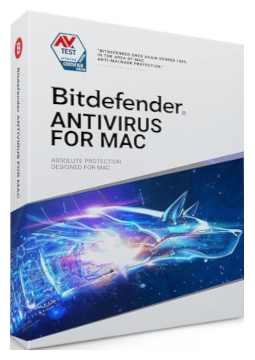
Bitdefender Antivirus Mac 3 devices, 1 year
30.12 €
Language


Compatibility



- Description
- Information
- Instructions
Product description
Bitdefender Antivirus for Mac
Bitdefender Antivirus for Mac protects your Mac in real time against viruses, ransomware, adware and other malware. It blocks phishing and fraudulent websites, keeps your Time Machine backups safe and, thanks to cloud-based threat detection, uses very little of your Mac's resources. Bitdefender VPN with 200 MB of encrypted traffic per day is included.
Key features
Everything Bitdefender Antivirus for Mac can do.
System requirements
Where you can run Bitdefender Antivirus for Mac.
How it works
Frequently asked questions
Product information
| Delivery Method: | Electronically by e-mail |
| Type of license: | New (license validity starts from your first activation) |
| Language: | English, Czech, Finnish, French, Dutch, Hungarian, German, Polish |
| Compatibility: | macOS Yosemite and later |
| Licence validity: | 12 months |
| Number of devices: | 3 devices |
| Manufacturer: | Bitdefender |
Product instructions
Bitdefender Antivirus for Mac
Installation and activation
- If another antivirus is installed on your Mac, uninstall it first – Bitdefender advises against running two security solutions at once.
- On your Mac, sign in at central.bitdefender.com, open My Subscriptions in the left-hand menu, choose + Activate with code and enter the licence key from your email.
- On the Bitdefender Central dashboard click Install Bitdefender Products, choose Install in the Security panel and then Download.
- Run the downloaded file starting with bitdefender_, accept the Subscription Agreement, click Install and confirm with your Mac administrator password.
- Allow the Bitdefender system extension and, in System Settings > Privacy & Security > Full Disk Access, switch on Antivirus for Mac, Bitdefender and Core Security. Then choose Quit & Reopen.
- Enable the Web Protection browser extension and check in Bitdefender Central under My Subscriptions that the licence is active.
––––> How to activate a Bitdefender subscription with a code <––––
––––> How to install Bitdefender Antivirus for Mac <––––
––––> Uninstall tools for other antivirus software <––––
