Sometimes it can happen that the delivered email with the order ends up in the SPAM folder. It is therefore necessary to check junk mail as well. Thank you.

FREE gift with every order.

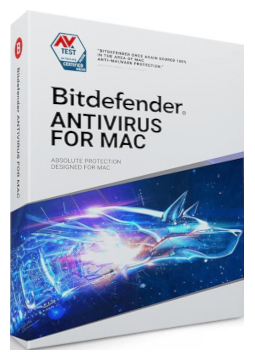
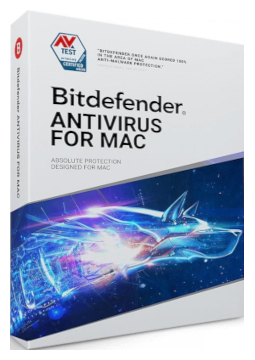
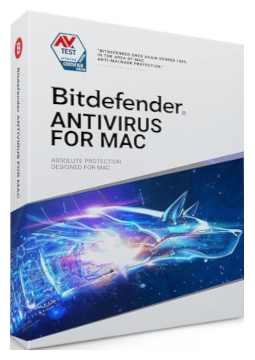
Bitdefender Antivirus Mac 1 device, 1 year

24.47 €

In stock Expected delivery within 5 minutes. Delivery within a maximum of 15 minutes. The license starts when the code is activated. Lifetime warranty.
You will receive this product digitally by e-mail

Delivery Method

  • Electronically by e-mail

Type of license

  • New

Language

Compatibility

Licence validity

  • 12 months

Number of devices

  • 1 device

Manufacturer

  • Bitdefender

Product variants

Product description

​  Antivirus and ransomware protection for Mac

Bitdefender Antivirus for Mac

Bitdefender Antivirus for Mac protects your Mac in real time against viruses, ransomware, adware and other malware. It blocks phishing and fraudulent websites, keeps your Time Machine backups safe and, thanks to cloud-based threat detection, uses very little of your Mac's resources. Bitdefender VPN with 200 MB of encrypted traffic per day is included.

​
Real-time protection
Bitdefender Shield automatically detects and removes viruses, ransomware, spyware and Trojans in the background.
​
Time Machine Protection
Keeps your Time Machine backups safe from ransomware, so you can restore your system after an attack.
​
Safe Files
Watches the folders you choose and stops untrusted apps from changing or encrypting the files in them.
​
Adware blocking
Detects and removes adware, browser hijackers, unwanted toolbars and add-ons.
​
Web Protection
The TrafficLight browser extension blocks malicious and phishing pages as well as unsafe downloads.
​
Detects Windows threats too
Also finds Windows malware, so you don't accidentally pass it on to PC users.

Key features

Everything Bitdefender Antivirus for Mac can do.

​ Real-time protection against viruses, ransomware, spyware, Trojans, keyloggers and worms
​ Bitdefender Shield – automatic detection and removal of threats in the background
​ Time Machine Protection against ransomware
​ Safe Files – protects selected folders against unauthorised changes
​ Detection and removal of adware, browser hijackers and unwanted add-ons
​ Anti-Phishing – blocks sites that imitate trusted websites
​ Web Protection – TrafficLight browser extension against malicious sites and unsafe downloads
​ Malware detection for both macOS and Windows
​ Autopilot – security recommendations based on how you use your Mac
​ Ultra-fast scanning with cloud-based threat detection
​ Bitdefender VPN with 200 MB of encrypted traffic per day per device
​ Anti-tracker – blocks trackers and shows you the data they collect

System requirements

Where you can run Bitdefender Antivirus for Mac.

​
macOS
macOS Big Sur (11.3) or later, 1 GB of free disk space, Safari, Firefox or Google Chrome

How it works

 
​
1.
Order
Choose the number of devices and licence length and pay securely online.
​
2.
Key by e-mail
Your licence key usually arrives within a few minutes.
​
3.
Activate
Download the app from the vendor's official website and enter the key – see the Instructions tab.

Frequently asked questions

 
​  How do I activate the licence?
Sign in to your Bitdefender Central account at central.bitdefender.com (or create one), open My Subscr​iptions in the left-hand menu, choose + Activate with code and enter the licence key from your email. You then download the installer directly from Bitdefender Central.
​  How many Macs can I use it on?
On as many Macs as your chosen licence variant states (1 or 3). If you replace your Mac, first remove the old computer from your Bitdefender Central account to free up its slot, then install the app on the new Mac – you do not need to enter the licence key again.
​  Why does the app ask for permissions during installation?
To protect the whole system, newer versions of macOS require you to allow the Bitdefender system extension and to turn on Full Disk Access for Antivirus for Mac, Bitdefender and Core Security. The official guide also covers macOS Sequoia and Tahoe.
​  Do I need to uninstall my current antivirus?
Yes. Bitdefender advises never to have more than one security solution installed at the same time, so please uninstall your current antivirus before installing Bitdefender.
​  How do I renew my licence?
Buy a new licence for the same product with the same number of devices and, when activating the code in Bitdefender Central, select Extend current subscr​iption. The remaining days are added on, provided the total validity does not exceed 5 years. You can see the expiry date under My Subscr​iptions.
​  Which language does the app use?
The app follows your macOS system language. You can set a different language just for this app in System Settings > General > Language & Region under Applications – the menu shows the languages the app supports.
​
Instant delivery
Key by e-mail within minutes
​
Guarantee of legality
Verified licences
​
Secure payment
Your data protected
​
Free gift
With every order
You will receive this product digitally by e-mail

Delivery Method

  • Electronically by e-mail

Type of license

  • New

Language

Compatibility

Licence validity

  • 12 months

Number of devices

  • 1 device

Manufacturer

  • Bitdefender