Sometimes it can happen that the delivered email with the order ends up in the SPAM folder. It is therefore necessary to check junk mail as well. Thank you.

FREE gift with every order.

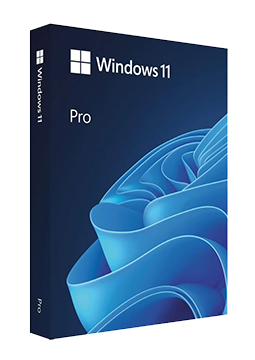
Windows 11 Pro – Non-transferable license

11.9 €

In stock Expected delivery within 5 minutes. Delivery within a maximum of 15 minutes. The license starts when the code is activated. Lifetime warranty.
You will receive this product digitally by e-mail

Version

  • 64 bit

Delivery Method

  • Electronically by e-mail

License version

  • OEM

Language

Manufacturer

  • Microsoft

Product variants

Product description

​  Windows for work and power users

Windows 11 Pro

Windows 11 Pro is the edition of Windows 11 for small businesses, professionals and power users. On top of the Home features it adds BitLocker drive encryption, Remote Desktop hosting, Hyper-V virtualisation, the isolated Windows Sandbox and business management through Microsoft Entra ID. The current version 26H2 receives both security and feature updates. Your licence key arrives by e-mail and you activate Windows in Settings > System > Activation.

​
BitLocker
BitLocker drive encryption is available in the Pro, Enterprise and Education editions. Data on a lost or stolen laptop stays protected.
​
Remote Desktop
Connect to your Windows 11 Pro PC remotely from another device. The Home edition can only act as a Remote Desktop client.
​
Hyper-V
Create and run virtual machines directly in Windows. Hyper-V requires a 64-bit processor with SLAT and at least 4 GB of RAM.
​
Windows Sandbox
Open an unknown app or file in a temporary, isolated environment. Everything inside is deleted when you close it.
​
Business management
Microsoft Entra ID join, Assigned Access kiosk mode and sign-in with Windows Hello for Business.
​
Upgrade from Home
Running Windows 11 Home? Just enter the Pro key in Settings – there is no need to reinstall.

Key features

Everything Windows 11 Pro can do.

​ Current Windows 11 version 26H2, supported until October 2028
​ BitLocker drive encryption
​ Remote Desktop as host and client
​ Hyper-V virtual machines
​ Windows Sandbox for testing apps safely
​ Microsoft Entra ID join (not available in Home)
​ Assigned Access kiosk mode
​ Windows Hello and Windows Hello for Business
​ Snap layouts and virtual desktops
​ Upgrade from Windows 11 Home without reinstalling
​ Add further display languages
​ New transferable (retail) licence for 1 PC

System requirements

Where you can run Windows 11 Pro.

​
Windows
64-bit 1 GHz processor with 2 or more cores, 4 GB RAM, 64 GB storage, UEFI with Secure Boot, TPM 2.0, DirectX 12 graphics (WDDM 2.0), 720p display larger than 9 inches diagonally. Windows 11 Home, and Windows 11 Pro for personal use, require an internet connection and a Microsoft account for initial setup.

How it works

 
​
1.
Order
Choose the number of devices and licence length and pay securely online.
​
2.
Key by e-mail
Your licence key usually arrives within a few minutes.
​
3.
Activate
Download the app from the vendor's official website and enter the key – see the Instructions tab.

Frequently asked questions

 
​  I have Windows 11 Home – how do I move to Pro?
Open Settings > System > Activation, select Change next to Change product key and enter the Pro key. Microsoft supports this upgrade without reinstalling; a restart is required after entering the key.
​  Can the licence be transferred to another PC?
Yes. It is a transferable retail licence: once you uninstall Windows from the original PC, you can activate the key on a new device. It can only be in use on 1 PC at a time.
​  Does the licence work for a 32-bit version?
Windows 11 is only available as a 64-bit system; Microsoft does not offer a 32-bit version. Please check that your PC meets the Windows 11 requirements.
​  Do I need a Microsoft account?
Microsoft requires an internet connection and a Microsoft account during the initial setup of Windows 11 Home and of Windows 11 Pro for personal use. Linking the licence to your account also makes it easier to reactivate Windows after replacing the motherboard.
​  How long will the system receive updates?
Windows 11 follows the Modern Lifecycle Policy: on Pro, each annual feature update is supported for 24 months, with version 26H2 supported until October 2028. Before support ends, simply move to a newer version of Windows 11.
​  Which languages are available?
You choose the language when you download the Windows 11 installation media, and you can add further display languages at any time in Settings > Time & language > Language & region.
​
Instant delivery
Key by e-mail within minutes
​
Guarantee of legality
Verified licences
​
Secure payment
Your data protected
​
Free gift
With every order
You will receive this product digitally by e-mail

Version

  • 64 bit

Delivery Method

  • Electronically by e-mail

License version

  • OEM

Language

Manufacturer

  • Microsoft