


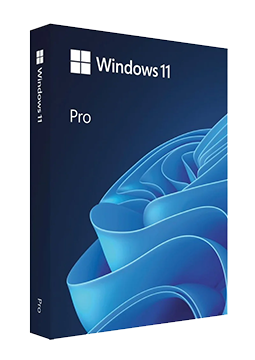
Windows 11 Pro UPGRADE
22.9 €
Language



- Description
- Information
- Instructions
Product description
Windows 11 Pro
Windows 11 Pro is the edition of Windows 11 for small businesses, professionals and power users. On top of the Home features it adds BitLocker drive encryption, Remote Desktop hosting, Hyper-V virtualisation, the isolated Windows Sandbox and business management through Microsoft Entra ID. The current version 26H2 receives both security and feature updates. Your licence key arrives by e-mail and you activate Windows in Settings > System > Activation.
Key features
Everything Windows 11 Pro can do.
System requirements
Where you can run Windows 11 Pro.
How it works
Frequently asked questions
Product information
| Version: | 32 bit, 64 bit |
| Delivery Method: | Electronically by e-mail |
| License version: | Retail |
| Language: | English, Czech, Finnish, French, Hungarian, German, Polish, Slovak, Swedish |
| Manufacturer: | Microsoft |
Product instructions
Windows 11 Pro
Installation and activation
- Check that your PC meets the Windows 11 requirements (64-bit processor, TPM 2.0, Secure Boot).
- For a clean installation, download the media creation tool (USB flash drive of at least 8 GB) or the ISO image from Microsoft's official website and install Windows 11. If you already have Windows 11 Home or Pro, skip this step.
- Select Start > Settings > System > Activation.
- Next to Change product key, select Change and enter the 25-character licence key from the e-mail.
- When upgrading from Home, confirm the upgrade to Pro and let the PC restart.
- On the Activation page, check that Windows is activated; we recommend linking the licence to your Microsoft account (Add an account).
––––> Download Windows 11 (Microsoft's official website) <––––
––––> Activate Windows – Microsoft Support <––––
––––> Windows edition upgrade – Microsoft documentation <––––
