


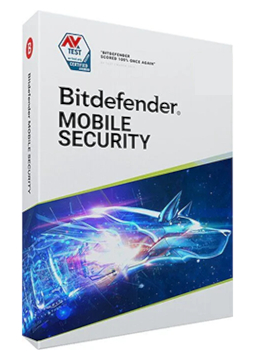
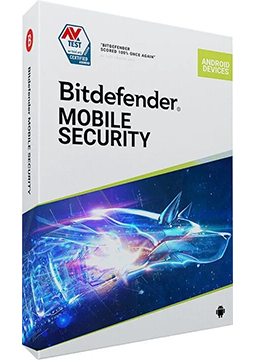
Bitdefender Mobile Security Android 1 device, 2 years
29.99 €
Language


Compatibility




- Description
- Information
- Instructions
Product description
Bitdefender Mobile Security
Bitdefender Mobile Security protects Android phones and tablets as well as iPhones and iPads against phishing, scam messages and dangerous websites. On Android it also checks every app you install, blocks spam calls and helps you find a lost phone. Most of the heavy lifting is done in the cloud, so the impact on battery and performance is minimal. You switch protection on simply by signing in to your Bitdefender Central account.
Key features
Everything Bitdefender Mobile Security can do.
System requirements
Where you can run Bitdefender Mobile Security.
How it works
Frequently asked questions
Product information
| Delivery Method: | Electronically by e-mail |
| Type of license: | New (license validity starts from your first activation) |
| Language: | English, Czech, Finnish, French, Dutch, Hungarian, German, Polish |
| Compatibility: | Android 5 and later |
| Licence validity: | 24 months |
| Number of devices: | 1 device |
| Manufacturer: | Bitdefender |
Product instructions
Bitdefender Mobile Security
Installation and activation
- Go to central.bitdefender.com and sign in to your Bitdefender Central account, or create a new one.
- In the left-hand menu open My Subscriptions, click + Activate with code, enter the licence key from your email and confirm with Activate.
- On your phone or tablet, open Google Play (Android) or the App Store (iPhone, iPad), search for Bitdefender Mobile Security and install it.
- Open the app, accept the Subscription Agreement and sign in with the same Bitdefender Central account in which you activated the key.
- Follow the setup wizard to switch on Web Protection: on Android allow Bitdefender Mobile Security in the Accessibility settings, on iOS allow the web filter to be installed.
- On Android, run the first scan. You can check that the licence is active and when it expires in Bitdefender Central under My Subscriptions.
––––> How to activate a Bitdefender subscription with a code <––––
––––> How to install Bitdefender Mobile Security for Android <––––
––––> How to install Bitdefender Mobile Security for iOS <––––
