


Windows
Windows
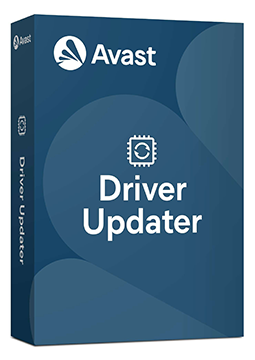
Avast Driver Updater 3 devices, 1 year
20.49 €
Language


Compatibility



- Description
- Information
- Instructions
Product description
Avast Driver Updater
Avast Driver Updater checks your Windows PC against a database of 70 million drivers and finds the ones that are outdated, corrupt, vulnerable or missing. With one click it updates them using verified installers from the hardware manufacturers, helping to cut down on crashes, freezes and problems with sound, networking or printing. Before every update it backs up your current drivers, so you can always roll back.
Key features
Everything Avast Driver Updater can do.
System requirements
Where you can run Avast Driver Updater.
How it works
Frequently asked questions
Product information
| Delivery Method: | Electronically by e-mail |
| Type of license: | New (license validity starts from your first activation) |
| Language: | English, Czech, Hungarian, German, Polish, Slovak |
| Compatibility: | Windows 7 and later |
| Licence validity: | 12 months |
| Number of devices: | 3 devices |
| Manufacturer: | Avast |
Product instructions
Avast Driver Updater
Installation and activation
- Open Avast's official installation guide (link below) and click Download Avast Driver Updater to save the avast_driver_updater_online_setup.exe file.
- Right-click the downloaded file, select Run as administrator and click Yes in the User Account Control dialog.
- Change the setup language in the top-right corner if you wish, click Install, wait for the installation to finish and click Continue.
- In the app, go to ☰ Menu ▸ Settings, open the My subscription tab and click Enter activation code.
- Paste the licence key from your e-mail including the hyphens and click Enter.
- Check on the My subscription tab that your subscription is active and when it expires. Then scan your PC and click Update all to update any outdated drivers.
––––> Download Avast Driver Updater and installation guide <––––
––––> How to activate Avast Driver Updater <––––