Sometimes it can happen that the delivered email with the order ends up in the SPAM folder. It is therefore necessary to check junk mail as well. Thank you.

Windows

Lifetime license

Non-transferable license

Windows

Lifetime license

Non-transferable license

FREE gift with every order.

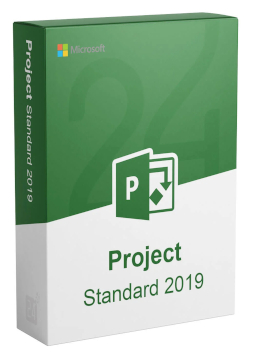
Microsoft Project 2019 Professional

14.49 €

In stock Expected delivery within 5 minutes. Delivery within a maximum of 15 minutes. Lifetime licence. Lifetime warranty.
You will receive this product digitally by e-mail

Delivery Method

  • Electronically by e-mail

Type of license

  • New

Activation type

  • online (in the Office application)

Language

Compatibility

Licence validity

  • Forever

Number of devices

  • 1 device

Manufacturer

  • Microsoft

Product variants

Product description

​  Project planning and management

Microsoft Project 2019

Project 2019 is Microsoft's desktop app for planning and managing projects on Windows, available in Standard and Professional editions. It helps you build a schedule in a Gantt chart, assign resources, keep track of deadlines, costs and the critical path and create clear reports. Microsoft ended support for Project 2019 on 14 October 2025, so it no longer releases security updates. Perpetual licence for one device, no subscr​iption.

​
Gantt chart
Enter tasks, organise them into subtasks and summary tasks and link them with four dependency types – changing one date updates the whole plan.
​
Critical path
Highlight the tasks that directly affect the project finish date – they appear as red bars in the Gantt chart.
​
Reports and dashboards
Dozens of ready-made graphical reports, such as Project Overview, update automatically. You can customise them or build your own.
​
Team, resources and budget
Build a project team, assign resources to tasks, measure progress and manage the project budget.
​
Calendars
Base, project, task and resource calendars for working hours, holidays and leave, with three default base calendars.
​
Support ended 14 Oct 2025
The app keeps working, but Microsoft no longer releases fixes or security updates for it.

Key features

Everything Microsoft Project 2019 can do.

​ Project Standard 2019 and Project Professional 2019 for Windows
​ Project templates or a plan built from scratch
​ Import a task list from a SharePoint site or paste it from another program
​ Gantt chart, calendar, timeline and table views
​ Choose task predecessors from a drop-down list (Professional 2019)
​ Task Summary Name field (Professional 2019)
​ Labels and task progress on timeline bars (Professional 2019)
​ Sync with a SharePoint tasks list (Professional only)
​ Improved accessibility for screen readers and keyboard use (Professional 2019)
​ Fully localised in English, Czech, Slovak, Polish and Hungarian
​ 32-bit and 64-bit versions

System requirements

Where you can run Microsoft Project 2019.

​
Windows
Windows 11, Windows 10 or Windows Server 2019 and later, 1.6 GHz dual-core processor, 4 GB RAM (2 GB for 32-bit), 4 GB free disk space, 1280 × 768 display, DirectX 9.

How it works

 
​
1.
Order
Choose the number of devices and licence length and pay securely online.
​
2.
Key by e-mail
Your licence key usually arrives within a few minutes.
​
3.
Activate
Download the app from the vendor's official website and enter the key – see the Instructions tab.

Frequently asked questions

 
​  What is the difference between Standard and Professional?
Both editions handle task planning, resources, calendars, the critical path and reports. Professional can also sync tasks with a SharePoint tasks list, and in the 2019 version it gained new features such as choosing predecessors from a drop-down list and labels on the timeline.
​  Is Project 2019 still supported?
No. Extended support ended on 14 October 2025. The app keeps working, but Microsoft no longer releases fixes or security updates and recommends moving to a newer version.
​  On how many devices can I use Project?
The licence is for one device. The licence type, for example linked to a Microsoft account or activated directly in the app, is shown in the parameters of the variant you choose.
​  What does a pre-owned licence mean?
A pre-owned licence was previously activated on another device and can be activated again. Once activated on your computer it is non-transferable, according to the variant's parameters.
​  When does the licence start and when does it expire?
The licence is perpetual: it does not expire and there is no subscr​iption.
​  Which languages is Project 2019 available in?
Project Standard 2019 and Professional 2019 are fully localised in English, Czech, Slovak, Polish and Hungarian, among others; you choose the language when downloading the installer.
​
Instant delivery
Key by e-mail within minutes
​
Guarantee of legality
Verified licences
​
Secure payment
Your data protected
​
Free gift
With every order
You will receive this product digitally by e-mail

Delivery Method

  • Electronically by e-mail

Type of license

  • New

Activation type

  • online (in the Office application)

Language

Compatibility

Licence validity

  • Forever

Number of devices

  • 1 device

Manufacturer

  • Microsoft