


Windows / Mac OS
Android / iOS
New license
Windows / Mac OS
Android / iOS
New license
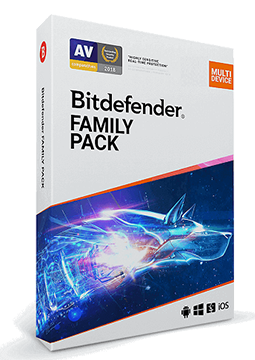
Bitdefender Family Pack 15 devices, 3 years
194.99 €
Language


Compatibility



- Description
- Information
- Instructions
Product description
Bitdefender Family Pack
Bitdefender Family Pack protects up to 15 PCs, Macs, phones and tablets running Windows, macOS, Android and iOS across your household. The subscription includes Bitdefender Total Security for Windows, Antivirus for Mac and Mobile Security for Android and iOS, plus parental control and a VPN with 200 MB of traffic per device per day. You manage every device from one Bitdefender Central account, and your licence key arrives by e-mail.
Key features
Everything Bitdefender Family Pack can do.
System requirements
Where you can run Bitdefender Family Pack.
How it works
Frequently asked questions
Product information
| Delivery Method: | Electronically by e-mail |
| Type of license: | New (license validity starts from your first activation) |
| Language: | English, Czech, Hungarian, German, Polish, Slovak |
| Compatibility: | Android 6 and later, IOS 12.0 and later, MacOS10.12 and later, Windows 7 and later |
| Licence validity: | 36 months |
| Number of devices: | 15 devices |
| Manufacturer: | Bitdefender |
Product instructions
Bitdefender Family Pack
Installation and activation
- If another antivirus is installed on the device, uninstall it first – two security programs running at once can get in each other's way.
- Go to central.bitdefender.com and sign in to your Bitdefender account, or create a new one for free.
- In the left-hand menu, open My Subscriptions, click + Activate with code, enter the licence key from your e-mail and confirm with Activate.
- If Bitdefender asks for billing details to enable automatic renewal, nothing is charged now – a payment would only be taken on renewal when the subscription ends. If the window can be closed, you can skip this step. Should you already have the same subscription, choose Extend current subscription and complete the activation with Confirm activation.
- On the Bitdefender Central dashboard, click Install Bitdefender Products, choose Install in the Security panel and download the installer.
- Run the downloaded file, optionally choose the language in the bottom right-hand corner, accept the Subscription Agreement and click Install. To protect other devices, including Android and iOS phones, send the download link via Protect other devices (QR code, e-mail or copied link).
- When the installation finishes, click Finish and check under My Subscriptions in Bitdefender Central that your Family Pack subscription is active. You can set up parental control in Bitdefender Central under Parental Control.
––––> Bitdefender Central – activate your key and download the apps <––––
––––> Official guide: activating a Bitdefender subscription with a code <––––
––––> Official guide: installing Bitdefender on another device <––––
