


Windows
Windows
AVG Breachguard 3 devices, 1 year
22.59 €
Language


Compatibility



- Description
- Information
- Instructions
Product description
AVG BreachGuard
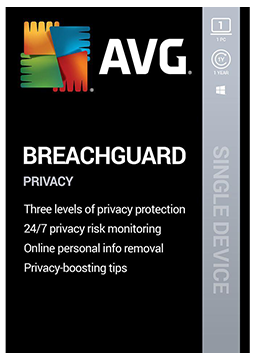
AVG BreachGuard monitors the dark web around the clock for your personal data after data breaches and alerts you straight away. It asks data brokers to remove your information on your behalf, checks the strength of your saved passwords and gives you step-by-step advice on tightening privacy settings in major online services. It is available for Windows and Mac. Less of your data in other companies' databases means a lower risk of misuse.
- All variants of this licence are for Windows only.
Key features
Everything AVG BreachGuard can do.
System requirements
Where you can run AVG BreachGuard.
How it works
Frequently asked questions
Product information
| Delivery Method: | Electronically by e-mail |
| Type of license: | New (license validity starts from your first activation) |
| Language: | English, Czech, Hungarian, German, Polish, Slovak |
| Compatibility: | Windows 7 and later |
| Licence validity: | 12 months |
| Number of devices: | 3 devices |
| Manufacturer: | AVG |
Product instructions
AVG BreachGuard
Installation and activation
- First add the activation code to your AVG Account: in the official Mac guide (link below), click Go to AVG Account, enter the code from your e-mail and click Continue. Then select Sign in to existing account or Create new account.
- Download the installer from the official guide – avg_breach_guard_online_setup.exe on Windows, AVG-BreachGuard.dmg on Mac.
- Windows: run the file, click Install and complete the installation. Mac: drag the AVG BreachGuard icon to the Applications folder and complete the installation.
- Windows: select Sign in in the app, enter your AVG Account credentials in the browser window that opens, click Continue and reopen the app when prompted (Open…). Mac: select Log in and enter the AVG Account credentials from step 1.
- If the account contains a valid subscription, the app activates automatically. If the Mac app asks for an activation code, enter it including the hyphens and click Activate.
- In the app's settings, add the e-mail addresses BreachGuard should monitor and choose the country where you live. If activation fails, follow AVG's detailed activation article.
––––> How to install and activate AVG BreachGuard on Windows <––––
––––> How to install and activate AVG BreachGuard on Mac <––––
––––> Activating AVG BreachGuard – detailed article <––––
