


Windows
Windows
FREE gift with every order.
In stock
Expected delivery within 5 minutes.
Delivery within a maximum of 15 minutes.
The license starts when the code is activated.
Lifetime warranty.
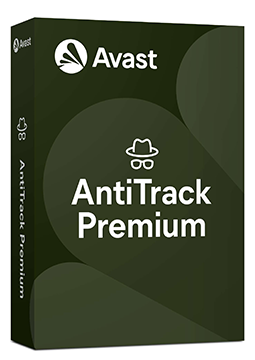
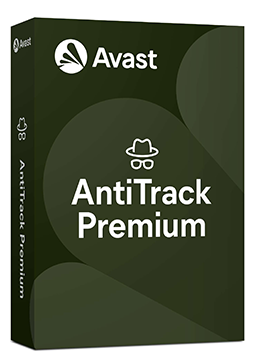
Avast Antitrack Premium 1 device, 2 years
29.35 €
You will receive this product digitally by e-mail
Language


Compatibility

- Description
- Information
- Instructions
Product description
Protection of your online identity
Avast AntiTrack Premium
Websites and advertisers keep records about you even if you don't realise it. AntiTrack hides your digital fingerprint, masks your identity and stops the tracking. Browse the web without anyone building a profile of you.
Compatibility by variant
- All variants of this licence are for Windows only.
The exact compatibility of each variant is listed in its OS compatibility parameter.
Digital fingerprint
Hides the unique fingerprint of your browser that websites use to recognise you.
Cross-site tracking
Stops tracking tools from collecting and sharing data about your behaviour.
Targeted ads
You stop being the target of ads that follow you from site to site.
Browsing traces
Clears tracking cookies and the history you leave behind online.
Key features
What Avast AntiTrack Premium can do.
Hides your browser fingerprint
Prevents tracking across websites
Masks your online identity
Protects you from targeted ads
Clears tracking cookies and browsing history
Alerts you when someone tries to track you
Shows who is tracking you and how
Makes building your ad profile much harder
Works in the most widely used browsers
Runs in the background without slowing browsing
Protects sensitive data from third-party collection
Avast version comparison
Where AntiTrack Premium protects your privacy best.
| Product comparison | Avast Free Antivirus | Avast AntiTrack Premium | Avast Ultimate |
| PRIVACY PROTECTION | |||
| Supported systems | | | |
| Hiding the browser fingerprint | | | |
| Blocking cross-site tracking | | | |
| Protection from targeted ads | | | |
| Clearing tracking cookies and traces | | | |
| Alerts about tracking attempts | | | |
| ANTIVIRUS PROTECTION | |||
| Virus and malware protection | | | |
| Firewall and payment protection | | | |
| VPN (Premium VPN) | | | |
| Cleanup (device speed-up) | | | |
| View products | View products | View products | |
Instant delivery
Code by e-mail within minutes
Legality guarantee
Verified licences
Secure payment
Protection of your data
Gift with purchase
With every order
Product information
| Delivery Method: | Electronically by e-mail |
| Type of license: | New (license validity starts from your first activation) |
| Language: | English, Czech, Hungarian, German, Polish, Slovak |
| Compatibility: | Windows 7 and later |
| Licence validity: | 24 months |
| Number of devices: | 1 device |
| Manufacturer: | Avast |
Product instructions
Avast AntiTrack
Installation and activation
- Open Avast's official installation guide (link below) and download the setup file for Windows (avast_antitrack_online_setup.exe) or Mac (avast-antitrack.dmg).
- On Windows, right-click the file, select Run as administrator, click Yes and start the installation. On a Mac, drag the Avast AntiTrack icon into Applications, open the app, enter your Mac password and click Install Helper.
- On Windows, select Already purchased? in the app; on a Mac, click Next through the Welcome tutorial until the Let's get started! screen appears.
- Paste the licence key from your e-mail including the hyphens and click Activate.
- When prompted, add the Avast AntiTrack browser extension (Chrome, Edge or Firefox) – the app needs it to block trackers.
- Check your active subscription on Windows in Settings (gear icon) ▸ Subscription, or on a Mac in Settings ▸ Activation Keys.
––––> Download Avast AntiTrack and installation guide <––––
––––> How to activate Avast AntiTrack <––––
