Sometimes it can happen that the delivered email with the order ends up in the SPAM folder. It is therefore necessary to check junk mail as well. Thank you.

FREE gift with every order.

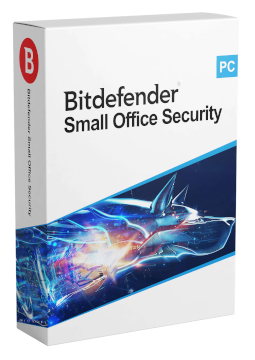
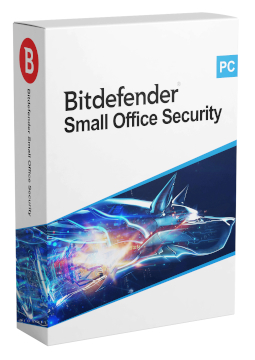
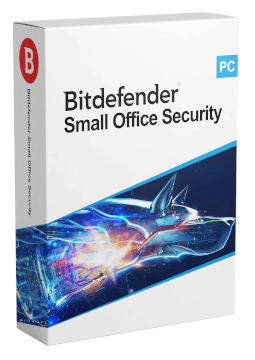
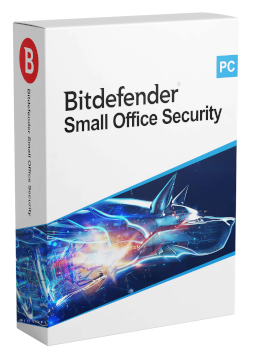
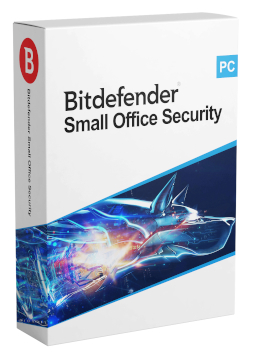
Bitdefender Small Office Security 5 devices, 2 years

94.88 €

In stock Expected delivery within 5 minutes. Delivery within a maximum of 15 minutes. The license starts when the code is activated. Lifetime warranty.
You will receive this product digitally by e-mail

Delivery Method

  • Electronically by e-mail

Type of license

  • New

Language

Compatibility

Licence validity

  • 24 months

Number of devices

  • 5 devices

Manufacturer

  • Bitdefender

Product variants

Product description

​  Small business protection, managed centrally

Bitdefender Small Office Security

Bitdefender Small Office Security is a subscr​iption for small businesses and sole traders with 5 to 20 devices. It includes Total Security for Windows PCs, Antivirus for Mac and Mobile Security for Android and iOS, all managed from a single Bitdefender Central account. Keep track of the protection status of every company device in one place.

​
Built for small businesses
Licences for 5, 10 or 20 devices running Windows, macOS, Android and iOS.
​
Central overview
Bitdefender Central shows all connected devices and their protection status, and lets you start a scan on all affected devices at once.
​
Administrator password
Stops employees from changing the security settings of Total Security on Windows.
​
Total Security for Windows
Multi-layer protection against malware and ransomware, a firewall, Safepay for secure payments and a VPN.
​
Macs and mobile devices
Antivirus for Mac and Mobile Security for Android and iOS protect company Macs, phones and tablets too.
​
Install via link
Send a download link to another device by email or scan it as a QR code; it is valid for 24 hours.

Key features

Everything Bitdefender Small Office Security can do.

​ Total Security for Windows PCs and laptops
​ Antivirus for Mac for Mac computers
​ Mobile Security for Android and iOS phones and tablets
​ Central device management in Bitdefender Central on the web and in the mobile app
​ Protection status of all devices at a glance and scans started on several devices at once
​ Administrator password against changes to security settings on Windows
​ Real-time protection against viruses, malware and ransomware
​ Protection against phishing and fraudulent websites
​ Firewall and Bitdefender Safepay for secure online payments
​ Bitdefender VPN for an encrypted connection
​ Time Machine Protection on Mac
​ Anti-Theft, App Lock and scam call blocking on Android

System requirements

Where you can run Bitdefender Small Office Security.

​
Windows
Windows 7 with Service Pack 1, Windows 8.1, 10 and 11, 2 GB RAM, 2.5 GB of free disk space
​
macOS
macOS Big Sur (11.3) or later, 1 GB of free disk space, Safari, Firefox or Google Chrome
​
Android
Android 7.0 or later, active internet connection
​
iOS
iOS 14 or later, active internet connection

How it works

 
​
1.
Order
Choose the number of devices and licence length and pay securely online.
​
2.
Key by e-mail
Your licence key usually arrives within a few minutes.
​
3.
Activate
Download the app from the vendor's official website and enter the key – see the Instructions tab.

Frequently asked questions

 
​  How do I activate the licence?
Sign in at central.bitdefender.com to a Bitdefender Central account with no active Bitdefender home subscr​iption (or create a new one), open My Subscr​iptions in the left-hand menu, choose + Activate with code and enter the licence key from your email. Note that a Bitdefender home product cannot be activated on an account with an active Small Office Security subscr​iption.
​  How many devices can I protect?
As many as your chosen licence variant states (5, 10 or 20 devices) – Windows PCs, Macs and Android and iOS phones and tablets.
​  How do I install protection on my employees' computers?
In Bitdefender Central click Install Bitdefender Products and, next to the product, choose Install on another device > Protect other devices. Send the download link by email, copy it or scan the QR code; the link is valid for 24 hours.
​  How do I set an administrator password?
In Bitdefender Central open My Devices, choose Set administrator password, turn on the switch and enter a password of at least 8 characters with upper- and lower-case letters and at least one number or symbol. The password applies to all devices on the account and protects the Total Security settings on Windows.
​  Do I need to uninstall our current antivirus?
Yes. Bitdefender advises never to have more than one security solution installed on a device at the same time. Uninstall the current antivirus and, on Windows, restart the PC before installing Bitdefender.
​  How do I renew the licence?
Buy a new licence for the same product with the same number of devices and, when activating the code in Bitdefender Central, select Extend current subscr​iption. The remaining days are added on, provided the total validity does not exceed 5 years.
​
Instant delivery
Key by e-mail within minutes
​
Guarantee of legality
Verified licences
​
Secure payment
Your data protected
​
Free gift
With every order
You will receive this product digitally by e-mail

Delivery Method

  • Electronically by e-mail

Type of license

  • New

Language

Compatibility

Licence validity

  • 24 months

Number of devices

  • 5 devices

Manufacturer

  • Bitdefender