


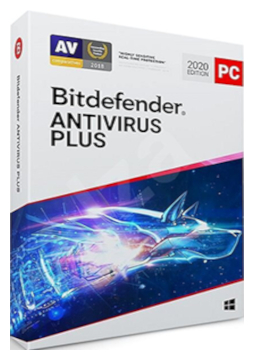
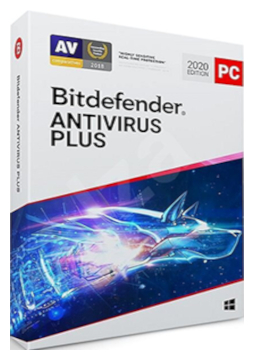
Bitdefender Antivirus Plus 10 devices, 3 years
161.99 €
Language


Compatibility





- Description
- Information
- Instructions
Product description
Bitdefender Antivirus Plus
Bitdefender Antivirus Plus is an antivirus for Windows PCs that blocks viruses, ransomware and zero-day attacks in real time. It protects you while you browse, shop and bank online, and Bitdefender Photon technology adapts to your computer to keep the load on it as low as possible. Bitdefender VPN with 200 MB of encrypted traffic per day is included.
Key features
Everything Bitdefender Antivirus Plus can do.
Bitdefender versions compared
What each version can do – choose the one that suits you.
| Product comparison | Antivirus Plus | Internet Security | Total Security | Premium Security | Ultimate Security |
| Supported platforms | | | | | |
| DEVICE PROTECTION | |||||
| Real-time protection against viruses, spyware and adware | | | | | |
| Multi-layer ransomware protection | | | | | |
| Advanced Threat Defense – behaviour-based detection of new threats | | | | | |
| Protection against phishing and fraudulent websites | | | | | |
| Firewall | | | | | |
| Cryptomining protection | | | | | |
| Scam Protection Pro – AI-powered scam protection | | | | | |
| PRIVACY AND E-MAIL | |||||
| Bitdefender VPN – encrypted traffic | 200 MB/day | 200 MB/day | 200 MB/day | Unlimited | Unlimited |
| System-wide ad blocker | | | | | |
| Webcam and microphone protection | | | | | |
| Parental Control | | | Family plans only | Family plans only | Family plans only |
| Antispam for Outlook and Thunderbird | | | | | |
| Email Protection for Gmail and Outlook webmail | | | | | |
| IDENTITY AND PERFORMANCE | |||||
| Digital Identity Protection with dark web monitoring | | | | | |
| OneClick Optimizer – speed up your PC in one click | | | | | |
| View products | View products | View products | View products | View products | |
System requirements
Where you can run Bitdefender Antivirus Plus.
How it works
Frequently asked questions
Product information
| Delivery Method: | Electronically by e-mail |
| Type of license: | New (license validity starts from your first activation) |
| Language: | English, Czech, Finnish, French, Dutch, Hungarian, German, Polish |
| Compatibility: | Windows 7 and later |
| Licence validity: | 36 months |
| Number of devices: | 10 devices |
| Manufacturer: | Bitdefender |
Product instructions
Bitdefender Antivirus Plus
Installation and activation
- If another antivirus is installed on your PC, uninstall it and restart the computer – Bitdefender advises against running two security solutions at once.
- On the PC you want to protect, go to central.bitdefender.com and sign in to your Bitdefender Central account, or create a new one.
- In the left-hand menu open My Subscriptions, click + Activate with code, enter the licence key from your email and confirm with Activate.
- On the Bitdefender Central dashboard click Install Bitdefender Products, choose Install in the Security panel and then Download.
- Run the downloaded bitdefender_windows_… file, click Yes in the User Account Control window, optionally pick a language from the menu in the bottom-right corner and click Install.
- When the installation finishes you can run a device assessment; click Finish to open Bitdefender. In Bitdefender Central under My Subscriptions you can check that the licence is active and when it expires.
––––> How to activate a Bitdefender subscription with a code <––––
––––> How to install Bitdefender on Windows <––––
––––> Uninstall tools for other antivirus software <––––
