


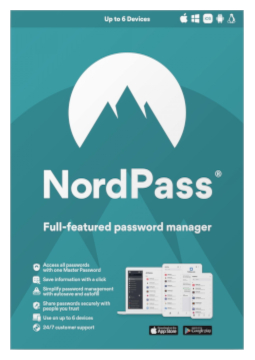
NordPass Premium 6 devices, 1 year
33.77 €
Language


Compatibility


- Description
- Information
- Instructions
Product description
NordPass Premium
NordPass Premium is the password manager from the makers of NordVPN. It keeps your passwords, passkeys, payment cards, addresses and notes in an encrypted vault, generates strong passwords and fills them in automatically on websites and in apps. Everything syncs across your devices. Just one Master Password to remember.
Key features
Everything NordPass Premium can do.
System requirements
Where you can run NordPass Premium.
How it works
Frequently asked questions
Product information
| Delivery Method: | Electronically by e-mail |
| Type of license: | New (license validity starts from your first activation) |
| Language: | English, Chinese, French, Italian, German, Polish, Spanish |
| Compatibility: | Android 8 and later, iOS 15 and later, Linux, macOS Big Sur and later, Windows 10, Windows 11 |
| Licence validity: | 12 months |
| Number of devices: | 6 devices |
| Manufacturer: | NordVPN |
Product instructions
NordPass Premium
Installation and activation
- Open the Nord Account activation page (my.nordaccount.com/activate). Enter the activation code from your email in the first field and, in the second, the email address you want to use NordPass with.
- Click ‘Continue’. If you already have a Nord Account, Premium is added to it automatically. If not, an account is created automatically for the email you entered.
- Download NordPass from the official page nordpass.com/download – the app for Windows, macOS, Linux, Android or iOS, or the extension for Chrome, Firefox, Edge, Safari or Opera – and install it.
- Open NordPass, enter your email, click ‘Continue’ and sign in to your Nord Account – enter the verification code from your email and, for a new account, create a password (‘Create Password’).
- Create the Master Password you will use to unlock your vault, and generate a Recovery Code straight away in case you ever forget it.
- Move passwords from your browser or another manager via Settings > Import items. You can check your Premium subscription status at any time in Nord Account at my.nordaccount.com.
––––> Activate your NordPass code in Nord Account <––––
––––> Official guide to redeeming your activation code <––––
