


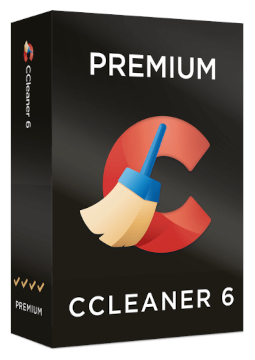
CCleaner Premium 5 devices, 1 year
18.13 €
Language


Compatibility

- Description
- Information
- Instructions
Product description
CCleaner Premium
CCleaner Premium (sold by the vendor as CCleaner Premium Bundle) is CCleaner's most comprehensive bundle, for up to 5 devices. Alongside CCleaner Professional for Windows, Recuva and Speccy, it includes CCleaner Pro for Mac and Android, the Kamo privacy tool and round-the-clock Premium Technical Support. Experts are on hand 24 hours a day – via live chat, priority e-mail and remote access.
Key features
Everything CCleaner Premium can do.
System requirements
Where you can run CCleaner Premium.
How it works
Frequently asked questions
Product information
| Delivery Method: | Electronically by e-mail |
| Type of license: | New (license validity starts from your first activation) |
| Language: | English, Czech, Finnish, French, Dutch, Hungarian, German, Polish, Slovak |
| Compatibility: | Windows 7 and later |
| Licence validity: | 12 months |
| Number of devices: | 5 devices |
| Manufacturer: | Piriform |
Product instructions
CCleaner Premium
Installation and activation
- On your Windows PC, download CCleaner from the official website, run the installer, click Yes in the User Account Control prompt and complete the installation.
- Launch CCleaner 7, click Settings in the bottom-left corner, under My Subscription click Enter license key, paste the licence key from your e-mail and confirm with Activate.
- Download Kamo from its official page, run kamo_online_setup.exe, choose your language and follow the installation wizard. When Kamo prompts you, enter your activation code and click Activate.
- Download Recuva and Speccy (Windows only) from their official pages on the CCleaner website, install them and register them with the details exactly as they appear in your licence e-mail.
- On a Mac, install CCleaner for Mac and choose CCleaner › Insert Activation Code in the menu bar (Cmd ⌘ + K). On Android, install CCleaner from the Google Play Store and go to Upgrade › Already Purchased? › Already have a subscription? › Use an activation code.
- Check on each device that the licence is active – on Windows under My Subscription in Settings.
––––> Download CCleaner for Windows <––––
––––> Activating CCleaner for Android with an activation code <––––
