


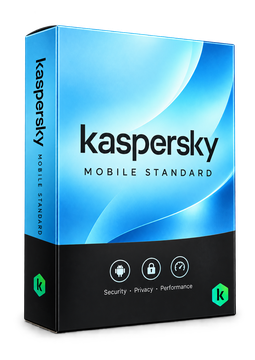
Kaspersky Mobile Standard 1 device, 1 year
12.9 €
Language


- Description
- Information
- Instructions
Product description
Kaspersky Standard for Mobile
Kaspersky Mobile Standard – officially Kaspersky Standard for Mobile – is Kaspersky's security plan for Android phones and tablets and for iPhones and iPads. It protects against malware, phishing and stalkerware, safeguards online payments and on Android helps you find a lost device. The app is ad-free. The licence is for mobile devices – it does not cover Windows PCs or Macs.
Key features
Everything Kaspersky Standard for Mobile can do.
System requirements
Where you can run Kaspersky Standard for Mobile.
How it works
Frequently asked questions
Product information
| Delivery Method: | Electronically by e-mail |
| Type of license: | New (license validity starts from your first activation) |
| Language: | English, Czech, Hungarian, German, Polish, Slovak, Swedish |
| Licence validity: | 12 months |
| Number of devices: | 1 device |
| Manufacturer: | Kaspersky |
Product instructions
Kaspersky Standard for Mobile
Installation and activation
- Install the Kaspersky app from Google Play on your Android phone or tablet, or from the App Store on your iPhone or iPad.
- Open the app and sign in to your My Kaspersky account, or create one.
- Android: tap Profile, then Let's go in the section for your current licence, then I have a subscription and Enter the activation code. Enter the licence key from our e-mail and tap Next.
- iPhone and iPad: on the My Kaspersky website (my.kaspersky.com), enter the key under ‘Already have an activation code?’ and click Add. Then sign in to the app with the same account – the subscription is used for activation.
- Check in the Profile section that the subscription is active, and run your first scan.
––––> Kaspersky guide: activating the subscription on Android <––––
––––> Kaspersky guide: activating the subscription on iPhone and iPad <––––
––––> Kaspersky Standard for Mobile – official page <––––
