


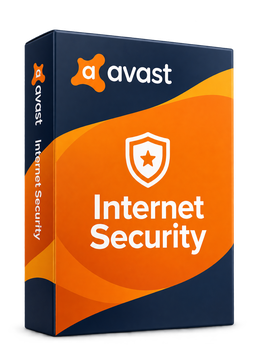
Avast Internet Security 10 devices, 2 years
48.99 €
Language


- Description
- Information
- Instructions
Product description
Avast Internet Security
Avast Internet Security is a licence for all-round online protection of a Windows PC. Avast no longer sells it as a separate app on its website – according to the vendor, existing Internet Security users received an upgrade to Avast Premium Security, and Avast's official Internet Security guide walks you through installing and activating Avast Premium Security. On top of protection against viruses and spyware, your PC is also guarded against ransomware, fake websites and hackers. You activate the licence with a code right in the Avast Premium Security app.
Key features
Everything Avast Internet Security can do.
System requirements
Where you can run Avast Internet Security.
How it works
Frequently asked questions
Product information
| Delivery Method: | Electronically by e-mail |
| Type of license: | New (license validity starts from your first activation) |
| Language: | English, Belarusian, Bulgarian, Czech, Croatian, Danish, Estonian, Finnish, French, Dutch, Indonesian, Italian, Lithuanian, Hungarian, German, Norwegian, Polish, Portuguese, Greek, Romanian, Russian, Slovak, Slovenian, Spanish, Serbian, Swedish, Ukrainian, Vietnamese |
| Licence validity: | 24 months |
| Number of devices: | 10 devices |
| Manufacturer: | Avast |
Product instructions
Avast Internet Security
Installation and activation
- If another antivirus is installed on your PC, uninstall it first – otherwise Avast will only run in Passive Mode.
- Open Avast's official guide (link below) and click Download Avast Premium Security.
- Right-click the downloaded file avast_premium_security_setup_online.exe, select Run as administrator, click Yes in the User Account Control dialog and then click Install.
- When the installation is complete, restart your PC so that all components work fully.
- Open Avast Premium Security, go to ☰ Menu ▸ Enter activation code, paste the code from your email including the hyphens and click Next. If the app asks for your name, email and postcode, fill them in.
- Go to ☰ Menu ▸ My subscriptions to check that the subscription is active and to see its expiry date.
––––> Official Avast guide: install and activate (formerly Avast Internet Security) <––––
––––> Detailed guide to activating Avast Premium Security <––––
––––> System requirements for Avast apps <––––
