Sometimes it can happen that the delivered email with the order ends up in the SPAM folder. It is therefore necessary to check junk mail as well. Thank you.

FREE gift with every order.

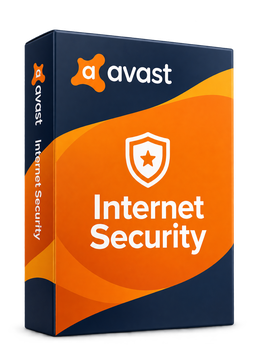
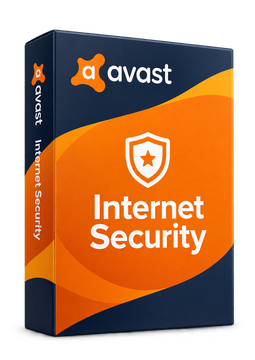
Avast Internet Security 1 device, 1 year

11.55 €

In stock Expected delivery within 5 minutes. Delivery within a maximum of 15 minutes. The license starts when the code is activated. Lifetime warranty.
You will receive this product digitally by e-mail

Delivery Method

  • Electronically by e-mail

Type of license

  • New

Language
Licence validity

  • 12 months

Number of devices

  • 1 device

Manufacturer

  • Avast

Product variants

Product description

​  Now delivered as Avast Premium Security

Avast Internet Security

Avast Internet Security is a licence for all-round online protection of a Windows PC. Avast no longer sells it as a separate app on its website – according to the vendor, existing Internet Security users received an upgrade to Avast Premium Security, and Avast's official Internet Security guide walks you through installing and activating Avast Premium Security. On top of protection against viruses and spyware, your PC is also guarded against ransomware, fake websites and hackers. You activate the licence with a code right in the Avast Premium Security app.

​
Real-time protection
Smart shields stop viruses, spyware and other threats before they can do any damage.
​
Ransomware Shield
Untrusted apps can't modify, delete or encrypt your documents and photos.
​
Safer shopping
Warns you about fake websites before they load, so you can shop, bank and pay more safely.
​
Advanced firewall
Stops unauthorised access to your PC, while Remote Access Shield blocks attacks via RDP.
​
Webcam and passwords
Prevents webcam spying and better protects the passwords saved in your browser.
​
AI scam protection
Avast Assistant helps you check suspicious messages and offers, and Email Guard flags scam emails.

Key features

Everything Avast Internet Security can do.

​ File Shield, Behavior Shield and Mail Shield guard your PC in real time
​ CyberCapture scans downloaded files and quarantines dangerous ones
​ Web Guard blocks scam websites and dangerous downloads
​ Ransomware Shield protects your personal files
​ Advanced firewall plus Remote Access Shield against RDP attacks
​ Network Inspector detects weaknesses in home Wi-Fi and public networks
​ Webcam protection and protection of browser-stored passwords
​ Open suspicious files safely in an isolated space
​ Automatic updates for popular PC apps
​ Permanently delete sensitive files so they can't be recovered
​ Hack Alerts when passwords linked to your email are leaked
​ Do Not Disturb Mode for games and films, Rescue Disk and Smart Scan

System requirements

Where you can run Avast Internet Security.

​
Windows
Windows 11 (including ARM64 processors), Windows 10, 8/8.1 and 7 SP1 with Convenience Rollup Update (32- and 64-bit); Intel Pentium 4 / AMD Athlon 64 processor with SSE3 support, 4 GB RAM, 3 GB free disk space and an internet connection

How it works

 
​
1.
Order
Choose the number of devices and licence length and pay securely online.
​
2.
Key by e-mail
Your licence key usually arrives within a few minutes.
​
3.
Activate
Download the app from the vendor's official website and enter the key – see the Instructions tab.

Frequently asked questions

 
​  Why do I install Avast Premium Security rather than Internet Security?
Avast no longer sells Internet Security as a separate app on its website and states that existing users received an upgrade to Avast Premium Security. Its official Internet Security guide therefore leads you to install Avast Premium Security, where you activate the licence.
​  How do I activate the licence?
Open Avast Premium Security, go to ☰ Menu ▸ Enter activation code, paste the code from your email including the hyphens and click Next. You will find the full procedure in the Instructions tab.
​  Can I transfer the licence to another PC?
Yes. According to Avast, you can transfer the subscr​iption to another device on the same platform – in this case another Windows PC. It is active on no more PCs at a time than the chosen option states.
​  What if I already have another antivirus?
For Avast to protect you actively, all other antivirus programs must be uninstalled. Otherwise it runs in Passive Mode, with shields and firewall turned off, and you can only run scans manually.
​  On how many PCs can I use the licence?
On as many Windows PCs as the chosen option states (1 or 10 devices). You can check your subscr​iption in the app under ☰ Menu ▸ My subscr​iptions or in your Avast Account.
​  Which languages are available, and does it run on Windows 11 on ARM?
Avast Premium Security is available in more than 40 languages. It can also be installed on Windows 11 with ARM64 processors, although Boot-Time Scan and Rescue Disk are not available there.
​
Instant delivery
Key by e-mail within minutes
​
Guarantee of legality
Verified licences
​
Secure payment
Your data protected
​
Free gift
With every order
You will receive this product digitally by e-mail

Delivery Method

  • Electronically by e-mail

Type of license

  • New

Language
Licence validity

  • 12 months

Number of devices

  • 1 device

Manufacturer

  • Avast