


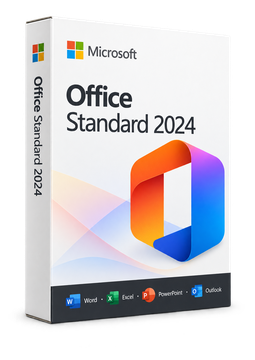
Microsoft Office 2024 Standard
10.99 €
Language


Compatibility

-
-
Online activation
Permanent, non-transferable
Windows
-
BIND
Permanent, transferable
Windows / Mac OS

- Description
- Information
- Instructions
Product description
Microsoft Office 2024
Office 2024 is the current version of Microsoft's office suite, bought once and used without monthly fees. Depending on the edition, you get the classic Word, Excel, PowerPoint and OneNote apps; Office Home & Business 2024 adds Outlook, and Office LTSC Professional Plus 2024 also includes Access. Microsoft provides security updates for it until October 2029.
Key features
Everything Microsoft Office 2024 can do.
System requirements
Where you can run Microsoft Office 2024.
How it works
Frequently asked questions
Product information
| Delivery Method: | Electronically by e-mail |
| Type of license: | New (license validity starts from your first activation) |
| Language: | English, Czech, Finnish, French, Hungarian, German, Polish, Slovak, Swedish |
| Compatibility: | Windows 10, Windows 11 |
| Licence validity: | Forever |
| Number of devices: | 1 device |
| Manufacturer: | Microsoft |
Product instructions
Microsoft Office 2024
Installation and activation
- Office Home 2024 and Office Home & Business 2024: go to setup.office.com, sign in with your Microsoft account (or create one for free) and enter the 25-character product key from the e-mail. This links the licence to your account permanently.
- Go to m365.cloud.microsoft/apps, sign in with the same account and select Install apps. Run the downloaded file and confirm the User Account Control prompt; on a Mac, open the downloaded installer package in your Downloads folder.
- Office LTSC Professional Plus 2024 and Standard 2024: download the Office Deployment Tool from the Microsoft Download Center and extract it. In the Office Customization Tool at config.office.com, create a configuration for your product, language and version (Microsoft recommends 64-bit) and save it as configuration.xml in the tool's folder.
- Open Command Prompt as administrator, go to that folder and run setup /configure configuration.xml. Office is downloaded and installed on the system drive.
- Start Word and accept the licence terms. The Home editions activate when you sign in with the account you redeemed the key to. For LTSC, open File > Account, select Change Product Key under Product Information, enter the key from the e-mail and confirm the activation.
- If online activation fails, the activation wizard offers activation by telephone. Finally, check under File > Account that the product shows as activated.
––––> Redeem your product key – setup.office.com <––––
––––> Microsoft guide: install Office 2024 <––––
––––> Deploy Office LTSC 2024 (Microsoft Learn) <––––
