


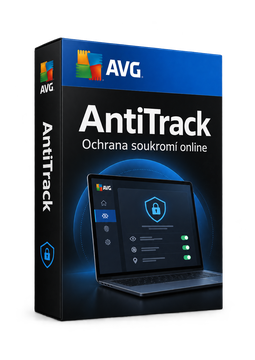
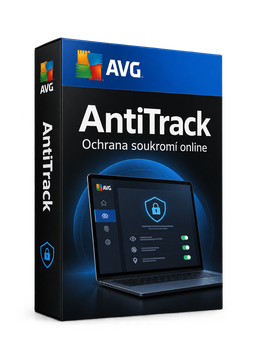
AVG AntiTrack 3 devices, 2 years
38.32 €
Language



- Description
- Information
- Instructions
Product description
AVG AntiTrack
AVG AntiTrack stops advertisers and websites from tracking you by your device's unique digital fingerprint. It keeps injecting fake information into your fingerprint, warns you about tracking attempts and clears tracking cookies and other traces from your browsers on Windows and Mac. Fewer targeted ads and more privacy every time you browse.
Key features
Everything AVG AntiTrack can do.
System requirements
Where you can run AVG AntiTrack.
How it works
Frequently asked questions
Product information
| Delivery Method: | Electronically by e-mail |
| Type of license: | New (license validity starts from your first activation) |
| Language: | English, Czech, Chinese, Danish, Finnish, French, Dutch, Indonesian, Italian, Japanese, Korean, Hungarian, German, Norwegian, Polish, Portuguese, Russian, Slovak, Spanish, Serbian, Swedish, Thai, Turkish, Ukrainian, Vietnamese |
| Licence validity: | 24 months |
| Number of devices: | 3 devices |
| Manufacturer: | AVG |
Product instructions
AVG AntiTrack
Installation and activation
- Open the official AVG guide for Windows or Mac (links below) and click Download AVG AntiTrack.
- Windows: run the downloaded avg_antitrack_setup.exe file, click Install and follow the on-screen instructions. Mac: open avg-antitrack.dmg, drag the AVG AntiTrack icon to the Applications folder and complete the installation.
- Launch AVG AntiTrack. On Windows, select Already purchased?; on Mac, click Next through the welcome screens.
- Enter the licence key from your e-mail and click Continue (Windows) or Activate (Mac). If asked, enter your name, e-mail and postcode.
- Turn on protection for the browsers you use and, if prompted, install the AVG AntiTrack browser extension (for example in Chrome on Windows).
- Check on the main screen that privacy protection is on. If a valid code is rejected, use the AVG activation form linked from the official guide.
––––> How to install and activate AVG AntiTrack on Windows <––––
––––> How to install and activate AVG AntiTrack on Mac <––––
––––> Activating AVG AntiTrack – detailed article <––––
