


Windows / Mac OS
Android / iOS
New license
Windows / Mac OS
Android / iOS
New license
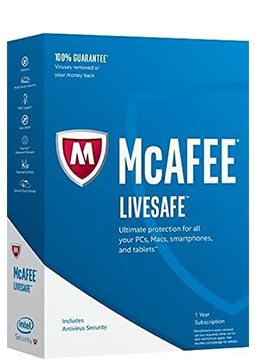
McAfee LiveSafe 1 device, 1 year
22.99 €
Language


Compatibility



- Description
- Information
- Instructions
Product description
McAfee LiveSafe
McAfee LiveSafe delivers award-winning antivirus protection and much more, covering your computers, mobile devices and even your identity. Alongside antivirus, it includes a password manager, web protection, Safe Family parental controls and tools for PC performance and privacy. More than antivirus – protection for your devices, privacy and identity.
Key features
Everything McAfee LiveSafe can do.
McAfee versions compared
What each version can do – choose the one that suits you.
| Product comparison | Total Protection | LiveSafe |
| Supported platforms | | |
| DEVICE PROTECTION | ||
| Award-winning antivirus with online and offline protection against viruses, online threats and ransomware | | |
| McAfee WebAdvisor – warnings about risky websites, links and files | | |
| Vulnerability Scanner – Windows and app updates from a single tool | | |
| PC optimisation – Web Boost and App Boost | | |
| PRIVACY AND IDENTITY | ||
| Password manager that stores, auto-fills and generates passwords | | |
| Identity monitoring, including dark web checks | up to 10 e-mail addresses | up to 10 e-mail addresses |
| Secure VPN with 256-bit encryption | 500 MB a month, unlimited with auto-renewal | with auto-renewal turned on |
| McAfee Shredder – deletes sensitive files completely, leaving no traces | | |
| McAfee QuickClean – removes cookies and temporary files | | |
| FAMILY AND SUPPORT | ||
| McAfee Safe Family parental controls | in the 10-device version | |
| Customer support by phone, chat or online | | |
| View products | View products | |
System requirements
Where you can run McAfee LiveSafe.
How it works
Frequently asked questions
Product information
| Delivery Method: | Electronically by e-mail |
| Type of license: | New (license validity starts from your first activation) |
| Language: | English, Czech, Hungarian, German, Polish, Slovak |
| Compatibility: | Android 6 and later, IOS 12.0 and later, MacOS10.12 and later, Windows 7 and later |
| Licence validity: | 12 months |
| Number of devices: | 1 device |
| Manufacturer: | McAfee |
Product instructions
McAfee LiveSafe
Installation and activation
- Open McAfee's official activation page (link below) and click Enter product key.
- Paste the licence key from your e-mail and enter your e-mail address. If you don't have a McAfee account yet, one will be created for this address; McAfee will e-mail you a 6-digit one-time passcode to verify it.
- McAfee will offer to turn on auto-renewal, which requires a payment card. It is optional – if you don't want it, click No Thanks.
- Follow the on-screen steps to download and install the McAfee app. To install it on other devices, sign in to My Account on the McAfee website – McAfee will also e-mail you a download link.
- On phones and tablets, install the McAfee Security app from Google Play or the App Store and sign in with the same McAfee account.
- To check activation on Windows, right-click the McAfee icon in the taskbar (bottom right, near the clock) and select Verify Subscription. You can also see your subscription status in My Account.
––––> Activate your McAfee LiveSafe key (official McAfee page) <––––
––––> McAfee LiveSafe – official product page <––––
––––> McAfee system requirements <––––
