Sometimes it can happen that the delivered email with the order ends up in the SPAM folder. It is therefore necessary to check junk mail as well. Thank you.

FREE gift with every order.

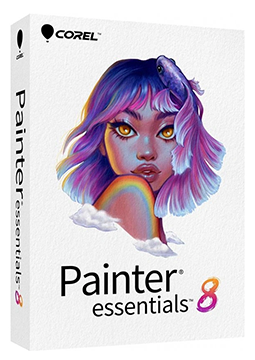
Corel Painter Essentials 8 1 PC, lifetime Windows

24.99 €

In stock Expected delivery within 5 minutes. Delivery within a maximum of 15 minutes. The license starts when the code is activated. Lifetime warranty.
You will receive this product digitally by e-mail

Delivery Method

  • Electronically by e-mail

Type of license

  • New

Language

Compatibility

Licence validity

  • Forever

Number of devices

  • 1 device

Manufacturer

  • Corel

Product variants

Product description

​  Digital painting for beginners

Corel Painter Essentials 8

Corel Painter Essentials 8 is easy, lightweight digital painting and drawing software that lets even complete beginners start creating straight away. It turns photos into paintings with AI-based auto-painting presets, and you can paint from scratch with more than 150 realistic brushes. A perpetual licence for Windows – your serial number arrives by e-mail.

​
AI auto-painting
The AI presets are based on the analysis of a large number of paintings by different artists and, in a couple of clicks, turn a photo into a painting that closely matches the styles of professional artists.
​
More than 150 brushes
Oils and acrylics, watercolour, chalk, pastels, pencils, markers and Particles brushes faithfully emulate real art media.
​
Paint photos by hand
Tracing Paper shows a faded version of the source image on the canvas, and Photo Painting brushes pick up its colours as you paint.
​
For laptop and tablet
On 2-in-1 devices, the workspace adapts automatically to laptop or tablet mode, with larger icons and buttons in tablet mode.
​
Mirror and kaleidoscope
Use the Mirror Painting and Kaleidoscope modes to create perfectly symmetrical paintings or colourful mandalas.
​
Layers and Photoshop
Work with unlimited layers and keep colours and layers intact when transferring files between Photoshop and Painter Essentials.

Key features

Everything Corel Painter Essentials 8 can do.

​ More than 150 built-in brushes, including 23 new in version 8
​ AI auto-painting styles, 10 of them new, plus optional classic presets from earlier versions
​ Brush categories including Acrylics and Oils, Digital Watercolor, Chalk, Pastel and Crayons, Pencils, Pens, Markers and Inking Tools and Particles
​ Up to 4x faster Sargent brushes
​ Hand painting from photos with Tracing Paper, plus cloning with the Rubber Stamp tool
​ Colour tools: Color Wheel, Mixer and Color Sets, plus colour harmonies (complementary, light and dark monochromatic)
​ Unlimited layers, the Layer Adjuster tool and an improved layers workflow
​ Rectangular, Oval, Lasso and Magic Wand selections plus Transform, Crop, Text, Eraser and Paint Bucket tools
​ Dodge and Burn tools to lighten and darken parts of an image
​ Paper textures for more realistic brushstrokes
​ Support for Wacom-compatible (Wintab) tablets and Windows Real-Time Stylus devices with stylus pressure, tilt, rotation and bearing
​ Welcome screen with learning resources and brush packs you can buy right in the app

System requirements

Where you can run Corel Painter Essentials 8.

​
Windows
Windows 11 or Windows 10 (64-bit, version 1909 or later) with the latest updates, Intel Core 2 Duo or AMD Athlon 64 X2 processor, 4 GB RAM (8 GB recommended), 1.9 GB disk space (SSD recommended), 1280 × 800 display, mouse or Wintab tablet, internet connection and product registration required for activation

How it works

 
​
1.
Order
Choose the number of devices and licence length and pay securely online.
​
2.
Key by e-mail
Your licence key usually arrives within a few minutes.
​
3.
Activate
Download the app from the vendor's official website and enter the key – see the Instructions tab.

Frequently asked questions

 
​  How do I activate Painter Essentials 8?
Download the installer from the official Painter website and install the program. If the installer asks for it, enter the serial number from your e-mail; if you already have the trial installed, choose Already Purchased in the trial window and enter the serial number there. Activation requires an internet connection and product registration. See the Instructions tab for step-by-step details.
​  How many computers can I use it on?
On as many computers as stated in the licence option you choose (1, 3 or 5).
​  Is this a subscr​iption?
No. Corel offers Painter Essentials 8 with a perpetual licence – there are no monthly or annual fees.
​  Can I use the program on a Mac?
Although Corel releases Painter Essentials 8 for both Windows and macOS, the licence offered here is for Windows.
​  Which languages is the program available in?
Corel publishes the Painter Essentials 8 Quick Start Guide in languages including English, German, French and Japanese.
​  How does it differ from Corel Painter 2023?
Painter Essentials 8 is a simplified program for beginners with more than 150 brushes and 4 preset workspace layouts. The professional Corel Painter 2023 offers more than 1,000 brushes, Fluid Paint, Thick Paint and far more customisation options.
​
Instant delivery
Key by e-mail within minutes
​
Guarantee of legality
Verified licences
​
Secure payment
Your data protected
​
Free gift
With every order
You will receive this product digitally by e-mail

Delivery Method

  • Electronically by e-mail

Type of license

  • New

Language

Compatibility

Licence validity

  • Forever

Number of devices

  • 1 device

Manufacturer

  • Corel