


Adobe Photoshop Elements 2025 1 PC, 3 years Windows, MAC
79.99 €
Language


Compatibility


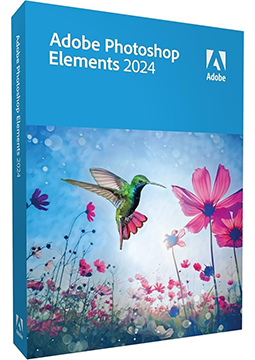
- Description
- Information
- Instructions
Product description
Adobe Photoshop Elements 2025
Adobe Photoshop Elements 2025 is photo editing and organising software for Windows and macOS that uses AI and automation to turn even advanced edits into a matter of a few clicks. It removes unwanted objects, changes the colour of a selected object, combines several photos into one and adds realistic depth of field. Beginners are guided by 59 step-by-step Guided Edits. A 3-year licence with no subscription – your redemption code is delivered by email.
Key features
Everything Adobe Photoshop Elements 2025 can do.
System requirements
Where you can run Adobe Photoshop Elements 2025.
How it works
Frequently asked questions
Product information
| Delivery Method: | Electronically by e-mail |
| Type of license: | New (license validity starts from your first activation) |
| Language: | English, Czech, Hungarian, Polish, Slovak |
| Compatibility: | MacOS10.12 and later, Windows 7 and later |
| Licence validity: | 36 months |
| Number of devices: | 1 device |
| Manufacturer: | Adobe |
Product instructions
Adobe Photoshop Elements 2025
Installation and activation
- Open Adobe's official Elements redemption page (redeem.adobe.com/elements) and sign in with your Adobe ID. If you do not have an Adobe account, select Create an account and follow the on-screen instructions.
- Enter the 24-character code from your email, select Redeem code and then Get Started.
- Select Download and download the installer – Download .exe for Windows or Download .dmg for macOS.
- Open the downloaded file and sign in with your Adobe ID. On the Installation Options screen, choose the language and installation location, then complete the installation. Stay connected to the internet until it finishes.
- When the installation is complete, select Photo Editor to launch Adobe Photoshop Elements. Sign in with your Adobe ID if prompted – your app is now activated.
- To check your licence, open Help > System Info and make sure License Type shows Paid.
––––> Redeem your Adobe Photoshop Elements 2025 code <––––
––––> Adobe guide: redeem and activate Elements <––––
––––> Photoshop Elements 2025 system requirements <––––
