Sometimes it can happen that the delivered email with the order ends up in the SPAM folder. It is therefore necessary to check junk mail as well. Thank you.

FREE gift with every order.

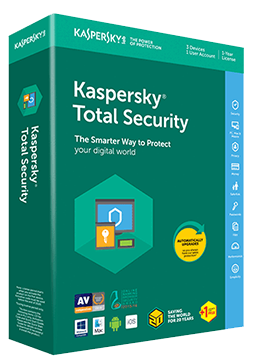
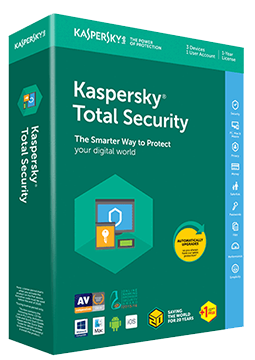
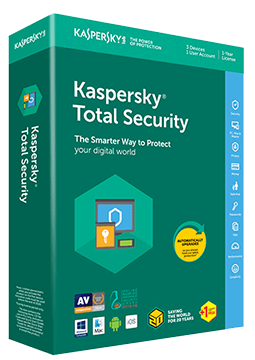
Kaspersky Total Security 1 device, 2 years

53.9 €

Sold out This item is not available at the moment. The license starts when the code is activated. Lifetime warranty.
You will receive this product digitally by e-mail

Delivery Method

  • Electronically by e-mail

Type of license

  • PURE

Language

Compatibility
Licence validity

  • 24 months

Number of devices

  • 1 device

Manufacturer

  • Kaspersky

Product variants

Product description

​  Licence for the Kaspersky Plus app

Kaspersky Total Security

Kaspersky offers a free upgrade for Kaspersky Total Security: your Total Security activation code gets you the current Kaspersky Plus app at no extra cost until your licence expires. It protects Windows PCs, Macs and Android devices and includes the premium version of Kaspersky Safe Kids parental control. The licence does not include the iOS app or the VPN feature.

​
Antivirus and firewall
Real-time protection against viruses, malware and ransomware, plus exploit prevention and a firewall.
​
Safe Money
Online banking and payments run in a protected browser, and Anti-Phishing stops fraudulent pages.
​
Password manager & Secret Vault
Kaspersky Password Manager looks after your passwords, and Secret Vault hides sensitive files.
​
Data Leak Checker
Alerts you when details from your accounts turn up in leaked data and tells you what to do.
​
Kaspersky Safe Kids
Premium parental control with a GPS locator, web filtering and screen time management.
​
Performance & maintenance
PC speed-up, duplicate and large file clean-up, backup and hard drive health monitoring.

Key features

Everything Kaspersky Total Security can do.

​ Real-time antivirus, ransomware protection and System Watcher
​ Firewall, intrusion prevention and network attack blocker
​ Anti-Phishing, Safe Browsing and Mail Anti-Virus
​ Safe Money for secure banking and shopping
​ Password Manager, Secret Vault and File Shredder
​ Data Leak Checker (on Mac without monitoring of credentials entered on websites)
​ Smart Home Monitor alerts you to new devices on your home Wi-Fi
​ Backup and Restore plus hard drive health monitoring
​ PC speed-up, quick startup, unused apps and App Updater
​ Webcam and mic control, stalkerware detection and adware remover
​ Kaspersky Safe Kids (premium version)

System requirements

Where you can run Kaspersky Total Security.

​
Windows
Windows 11, 10, 8.1, 8 and 7 SP1 (Home, Pro, Enterprise), 1 GHz processor, 1 GB RAM (32-bit) or 2 GB RAM (64-bit), 2,600 MB free disk space
​
macOS
macOS 14 to 26, 8 GB RAM, 4,475 MB free disk space
​
Android
Android 11 to 16, 270 MB free space, screen resolution of at least 800 × 480

How it works

 
​
1.
Order
Choose the number of devices and licence length and pay securely online.
​
2.
Key by e-mail
Your licence key usually arrives within a few minutes.
​
3.
Activate
Download the app from the vendor's official website and enter the key – see the Instructions tab.

Frequently asked questions

 
​  What do I get with a Total Security licence?
According to Kaspersky, a Kaspersky Total Security licence activates the current Kaspersky Plus app at no extra cost until it expires. It covers Windows, macOS and Android (on Android without Social Privacy) and the premium version of Kaspersky Safe Kids. The iOS app and the VPN are not included.
​  How do I activate the licence?
Download Kaspersky Plus from Kaspersky's official page for Total Security users, install it, sign in to your My Kaspersky account and enter the licence key from your e-mail. You can also add the key on the My Kaspersky website first. Step-by-step instructions are in the Instructions tab.
​  How many devices can I use the licence on?
As many as your chosen licence option covers. You can mix Windows PCs, Macs and Android phones and tablets. The Profile section of the app and your My Kaspersky account show how many slots are left.
​  When does the licence start?
The licence period starts counting down when you first activate the app on a device.
​  Do I need to uninstall my current antivirus?
The setup wizard checks for incompatible software, such as another antivirus, and offers to remove it. After removal you need to restart your computer, and installation then resumes automatically.
​  Does the licence include a VPN?
No. Kaspersky ended the free mode of Kaspersky VPN that used to come with Total Security on 27 November 2025. An unlimited VPN is included in Kaspersky Premium or the standalone Kaspersky VPN.
​
Instant delivery
Key by e-mail within minutes
​
Guarantee of legality
Verified licences
​
Secure payment
Your data protected
​
Free gift
With every order
You will receive this product digitally by e-mail

Delivery Method

  • Electronically by e-mail

Type of license

  • PURE

Language

Compatibility

Licence validity

  • 24 months

Number of devices

  • 1 device

Manufacturer

  • Kaspersky