Sometimes it can happen that the delivered email with the order ends up in the SPAM folder. It is therefore necessary to check junk mail as well. Thank you.

FREE gift with every order.

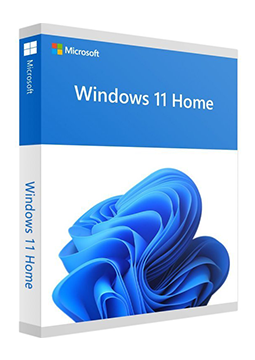
Windows 11 Home – Non-transferable license

9.9 €

In stock Expected delivery within 5 minutes. Delivery within a maximum of 15 minutes. The license starts when the code is activated. Lifetime warranty.
You will receive this product digitally by e-mail

Version

  • 64 bit

Delivery Method

  • Electronically by e-mail

License version

  • OEM

Language

Manufacturer

  • Microsoft

Product variants

Product description

​  Modern Windows for your home

Windows 11 Home

Windows 11 Home is the home edition of the current Windows 11, with a clean interface, Snap window layouts, the Copilot app and built-in Microsoft Defender protection. The system receives regular security and feature updates – the latest version, 26H2, is supported until October 2028. The licence is for the 64-bit version of Windows 11 Home.

​
Snap layouts and groups
Hover over the maximise button or press Win + Z to pick a window layout, then restore a whole snap group from the taskbar with one click.
​
Copilot in Windows
Copilot, your AI companion, is close at hand in Windows 11 – it may require a Windows update or an app download from the Microsoft Store.
​
Protected from day one
Microsoft Defender Antivirus, a firewall and Smart App Control, which uses AI to predict which apps are safe to run.
​
Phone Link
Phone Link connects your PC to an Android phone or an iPhone, so notifications, messages and calls appear right on your PC.
​
Windows Hello and encryption
Sign in with your face, fingerprint or PIN, and benefit from device encryption that switches on with a Microsoft account on supported hardware.

Key features

Everything Windows 11 Home can do.

​ Current Windows 11, version 26H2 supported until October 2028
​ Snap layouts and snap groups
​ Multiple virtual desktops (Win + Tab)
​ Copilot – your AI companion
​ Microsoft Defender Antivirus, firewall and Smart App Control
​ Windows Hello – face, fingerprint or PIN
​ Device encryption, even in the Home edition
​ Parental controls in Family options
​ Phone Link for Android and iPhone
​ Apps from the Microsoft Store
​ Hardware-based security with TPM 2.0 and Secure Boot
​ Czech, Slovak, Polish, Hungarian and many other display languages

System requirements

Where you can run Windows 11 Home.

​
Windows
1 GHz processor with 2 or more cores on the list of approved CPUs, 4 GB RAM, 64 GB storage, UEFI firmware with Secure Boot, TPM 2.0, DirectX 12 graphics with a WDDM 2.0 driver and a 720p display larger than 9″. An internet connection and a Microsoft account are required during initial setup.

How it works

 
​
1.
Order
Choose the number of devices and licence length and pay securely online.
​
2.
Key by e-mail
Your licence key usually arrives within a few minutes.
​
3.
Activate
Download the app from the vendor's official website and enter the key – see the Instructions tab.

Frequently asked questions

 
​  Do I need a Microsoft account to install it?
Yes. Windows 11 Home requires an internet connection and a Microsoft account during initial device setup.
​  Is the licence transferable?
No. This is an OEM licence that stays tied to the PC on which you activate it – it cannot be moved to another computer.
​  Which version is the licence for?
The licence is for the 64-bit version of Windows 11 Home. Microsoft provides installation files for PCs with x64 processors and, separately, disk images for Arm64 devices.
​  How long will Windows 11 receive updates?
Windows 11 Home is updated to new versions, and Microsoft supports each version for 24 months. The current version, 26H2, was released on 29 September 2026 and is supported until October 2028.
​  Can I upgrade to Windows 11 Pro later?
Yes. Go to Settings > System > Activation, select Change next to Change product key and enter a Windows 11 Pro key. The Pro edition adds features such as BitLocker encryption, Remote Desktop and joining a domain or Microsoft Entra ID.
​  What language will the system be in?
You choose the language when downloading the installation files. You can add further display languages, including Czech, Slovak, Polish and Hungarian, in Settings > Time & language > Language & region.
​
Instant delivery
Key by e-mail within minutes
​
Guarantee of legality
Verified licences
​
Secure payment
Your data protected
​
Free gift
With every order
You will receive this product digitally by e-mail

Version

  • 64 bit

Delivery Method

  • Electronically by e-mail

License version

  • OEM

Language

Manufacturer

  • Microsoft