


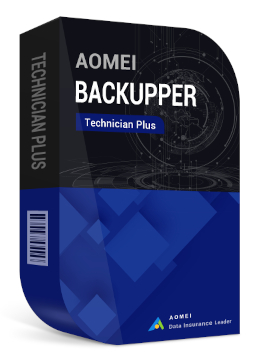
AOMEI Backupper Technician Plus unlimited devices
774.99 €
Language


Compatibility


- Description
- Information
- Instructions
Product description
AOMEI Backupper Technician Plus
AOMEI Backupper Technician Plus is the edition of AOMEI Backupper designed for businesses, IT technicians and managed service providers (MSPs). A single licence lets you protect an unlimited number of Windows PCs and servers within your company and provide billable technical support to an unlimited number of clients. Alongside backup, restore, cloning and sync, it includes the AOMEI Image Deploy and PXE Boot Tool utilities and lets you create a portable version of the program. One licence for unlimited Windows PCs and servers within your company.
Key features
Everything AOMEI Backupper Technician Plus can do.
System requirements
Where you can run AOMEI Backupper Technician Plus.
How it works
Frequently asked questions
Product information
| Delivery Method: | Electronically by e-mail |
| Type of license: | New (license validity starts from your first activation) |
| Language: | English, French, Italian, German, Polish, Spanish |
| Compatibility: | Windows 7 and later, Windows Server 2016, Windows Server 2019, Windows Server 2022 (64 bit), except Server Core Edition |
| Licence validity: | Forever |
| Number of devices: | Unlimited devices |
| Manufacturer: | AOMEI |
Product instructions
AOMEI Backupper Technician Plus
Installation and activation
- Open the official AOMEI download page for AOMEI Backupper Technician Plus, fill in the short form and download the installer with the Download Now button.
- Run the downloaded file and install the program by following the wizard.
- Launch AOMEI Backupper. If the registration window does not open automatically, click Menu → Register.
- Copy the licence code from your email into the registration box (without spaces before or after it) and click Activate. The computer must be connected to the internet.
- On a computer without internet access, clicking Register opens the offline registration window showing the machine code. On any computer with internet access, go to https://www.aomeitech.com/get-offline-key.html, enter the licence code, the machine code and the verification code, and click Get Offline Key. Paste the offline key you receive into the offline registration window and click Activate.
- After successful registration, the program runs as the Technician Plus edition you purchased. On the Tools tab you will find, among others, the Create Portable Version tool for creating a portable version on a USB drive.
––––> Download AOMEI Backupper Technician Plus <––––
––––> How to register and activate AOMEI Backupper <––––
––––> How to create a portable version of AOMEI Backupper <––––
