


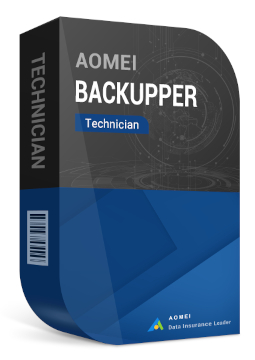
AOMEI Backupper Technician and AOMEI Backupper Central, unlimited devices
1005.99 €
Language


Compatibility

- Description
- Information
- Instructions
Product description
AOMEI Backupper Technician
AOMEI Backupper Technician is a backup, recovery and cloning toolkit for IT administrators, technicians and service providers. One licence protects an unlimited number of Windows PCs within a company and lets you provide billable technical support to clients. It also includes network image deployment, the PXE Boot Tool and a portable version. One licence for an unlimited number of PCs in your company.
Key features
Everything AOMEI Backupper Technician can do.
System requirements
Where you can run AOMEI Backupper Technician.
How it works
Frequently asked questions
Product information
| Delivery Method: | Electronically by e-mail |
| Type of license: | New (license validity starts from your first activation) |
| Language: | English, Czech, French, Dutch, Hungarian, German, Polish, Slovak |
| Compatibility: | Windows 7 and later |
| Licence validity: | Forever |
| Number of devices: | Unlimited devices |
| Manufacturer: | AOMEI |
Product instructions
AOMEI Backupper Technician
Installation and activation
- On the official AOMEI Backupper Download Center page, download AOMEI Backupper Technician (Try for Free button).
- Run the downloaded installer, click Next in the wizard and complete the installation. If prompted, restart your computer.
- Launch AOMEI Backupper. The registration window opens automatically; otherwise click Menu > Register.
- Paste the licence code from your e-mail (with no spaces before or after) and click Activate. The computer needs a stable internet connection.
- Computer without internet access: start the program offline and click Register. At aomeitech.com/get-offline-key.html, enter your licence code and the Machine Code shown in the offline registration window, then paste the offline key into the program and click Activate.
- After activation, create your first backup (Backup > System Backup) and prepare rescue media in case Windows fails to start (Tools > Create Bootable Media).
- Create the portable version via Tools > Create Portable Version; on the USB drive, register it with Register.exe and remove the registration with Anti-registration once you have finished.
––––> Download AOMEI Backupper Technician <––––
––––> How to register AOMEI Backupper <––––
––––> How to create the portable version <––––
