
Sometimes it can happen that the delivered email with the order ends up in the SPAM folder. It is therefore necessary to check junk mail as well. Thank you.

FREE gift with every order.

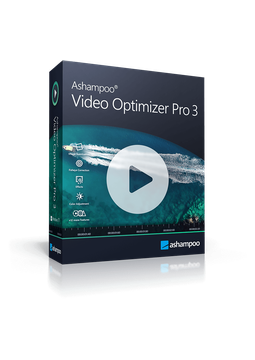
Ashampoo Video Optimizer Pro 3

34.28 €

In stock Expected delivery within 5 minutes. Delivery within a maximum of 15 minutes. The licence is lifetime. Lifetime warranty.
You will receive this product digitally by e-mail

Delivery Method

  • Electronically by e-mail

Type of license

  • New

Language

Licence validity

  • Forever

Number of devices

  • 1 device

Manufacturer

  • Ashampoo

Product description

​  Stabilise, denoise and enhance videos

Ashampoo Video Optimizer Pro 3

Ashampoo Video Optimizer Pro 3 automatically enhances your videos – it stabilises shaky footage, improves colours and contrast, sharpens the picture and removes noise and flicker. It corrects lens distortion (fisheye), creates slow-motion and time-lapse effects and lets you cut, rotate and merge clips. Every feature also works in batch mode for several videos at once. Lifetime licence for 1 PC, available in many languages.

​
Stabilise shaky footage
Smooth out shaky clips from phones, DSLRs and GoPro action cams, even handheld shots taken on the move.
​
Colour, contrast and sharpness
Adjust white balance, brightness, hue, shadows and highlights, add a vignette and sharpen the picture – with one click or manually.
​
Denoise and deflicker
The program detects digital noise and flicker in dark footage and time-lapses and removes them.
​
No more fisheye
Correct wide-angle lens distortion using profiles for popular cameras, or quickly create your own.
​
Slow motion, time-lapse, tilt-shift
Change the speed of whole videos or individual sections and turn landscapes into miniatures with the tilt-shift effect.
​
Batch processing
Enhance, edit or add metadata to many videos at once with a single click.

Key features

Everything Ashampoo Video Optimizer Pro 3 can do.

​ Redesigned interface combining the former Quick and Advanced modes
​ 20 presets for filters and effects, plus your own custom presets
​ Cut, rotate by 90/180/270° or any angle, and crop videos
​ Export selected sections or merge several videos and photos into one clip
​ Add text and images to scenes, colour filters and rounded video corners
​ Metadata editor for author, copyright and title
​ Support for popular formats and codecs in HD, 2K, 2.7K and 4K
​ Processing of H.265 video from GoPro cameras
​ Contextual export with fewer clicks
​ More precise editing thanks to improved frame mapping
​ Remembers your last-used save location
​ More stable, smoother performance with lower memory usage

System requirements

Where you can run Ashampoo Video Optimizer Pro 3.

​
Windows
Windows 11 and 10 (64-bit), including ARM devices. Installed via the free Ashampoo App, internet connection for activation.

How it works

 
​
1.
Order
Choose the number of devices and licence length and pay securely online.
​
2.
Key by e-mail
Your licence key usually arrives within a few minutes.
​
3.
Activate
Download the app from the vendor's official website and enter the key – see the Instructions tab.

Frequently asked questions

 
​  Which languages is the program available in?
Ashampoo Video Optimizer Pro 3 is available in English, German, Czech, Slovak, Polish, Hungarian and other languages. The Ashampoo App used for installation offers fewer languages, including English.
​  Can it fix shaky GoPro footage?
Yes. Stabilisation is designed for footage from phones, DSLRs and action cams. The program also processes H.265 video from GoPro cameras and removes the fisheye effect.
​  Why do I need the Ashampoo App?
The program is installed, activated and updated through the free Ashampoo App, where you also manage your licences. The app verifies the licence in the background.
​  How many PCs can I use it on?
The licence covers one PC. If you replace your computer, uninstall the program from the old device before installing it on the new one.
​  Is the licence time-limited?
No. It is a lifetime licence for version 3 with no subscr​iption. An internet connection is required for activation, and the licence is verified online at regular intervals.
​  How do I activate the licence?
Sign in to your Ashampoo account in the Ashampoo App, choose Activate product and enter the licence key from your e-mail. Step-by-step instructions are in the Instructions tab.
​
Instant delivery
Key by e-mail within minutes
​
Guarantee of legality
Verified licences
​
Secure payment
Your data protected
​
Free gift
With every order
You will receive this product digitally by e-mail

Delivery Method

  • Electronically by e-mail

Type of license

  • New

Language

Licence validity

  • Forever

Number of devices

  • 1 device

Manufacturer

  • Ashampoo
