


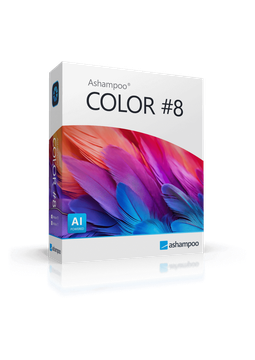
Ashampoo COLOR #8
29.99 €
Language


- Description
- Information
- Instructions
Product description
Ashampoo COLOR #8
Ashampoo COLOR #8 enhances your photos with a single click – it optimises them automatically or applies one of 193 hand-tuned templates in 12 categories. Expert mode gives you 245 professional filters in eight categories, including AI filters, which you can combine into your own templates. The program also handles RAW files and offers selective editing and layer-based compositing. Lifetime licence for 1 PC, also available as a Professional edition.
Key features
Everything Ashampoo COLOR #8 can do.
System requirements
Where you can run Ashampoo COLOR #8.
How it works
Frequently asked questions
Product information
| Delivery Method: | Electronically by e-mail |
| Type of license: | New (license validity starts from your first activation) |
| Language: | English, French, German, Polish, Spanish |
| Licence validity: | Forever |
| Number of devices: | 1 device |
| Manufacturer: | Ashampoo |
Product instructions
Ashampoo COLOR #8
Installation and activation
- Download the Ashampoo COLOR #8 installer from the official Ashampoo website (link below) and run it. The program is installed via the free Ashampoo App, which also has its own page (link below).
- Sign in to your Ashampoo account in the Ashampoo App, or create a new one free of charge.
- In the app, choose Activate product and enter the licence key from the e-mail you received from us – the licence is added to your software collection.
- Install COLOR #8 from your collection in the Ashampoo App and launch it. Your PC must be connected to the internet.
- With the Professional edition, the plug-ins for Adobe Photoshop and Lightroom Classic come in a ZIP file included with the installation – they are not installed automatically.
- If you change computers, uninstall the program from the old device and reinstall it on the new one from your collection in the Ashampoo App.
––––> Download Ashampoo COLOR #8 <––––
––––> Official Ashampoo COLOR #8 product page <––––
