


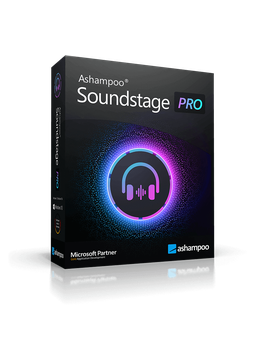
Ashampoo Soundstage Pro
27.39 €
Language


- Description
- Information
- Instructions
Product description
Ashampoo Soundstage Pro
Ashampoo Soundstage Pro brings cinema-style surround sound to your regular headphones – no expensive speaker system required. A virtual sound card processes all audio on your PC and turns the surround information into binaural sound for headphones. It is ideal for films and music, and in games you will hear exactly where your opponents are. Lifetime licence for 1 PC running Windows 10 or 11.
Key features
Everything Ashampoo Soundstage Pro can do.
System requirements
Where you can run Ashampoo Soundstage Pro.
How it works
Frequently asked questions
Product information
| Delivery Method: | Electronically by e-mail |
| Type of license: | New (license validity starts from your first activation) |
| Language: | English, Czech, Hungarian, German, Polish, Slovak |
| Licence validity: | Forever |
| Number of devices: | 1 device |
| Manufacturer: | Ashampoo |
Product instructions
Ashampoo Soundstage Pro
Installation and activation
- Download the Ashampoo Soundstage Pro installer from the official Ashampoo website (link below).
- Run the downloaded file with administrator rights, confirm the Windows security prompt and follow the setup wizard.
- Copy the licence key from the e-mail you received from us (select it and press Ctrl+C).
- When the activation dialogue appears during setup or on first launch, choose to enter the key manually, paste the key and click the activation button. Your PC must be connected to the internet.
- Once activated, launch Soundstage Pro, choose a sound location and play a film, music or a game through your headphones.
- If the program says the key is already activated (e.g. after reinstalling or on a new PC), reset the licence under Licenses in your Ashampoo account and activate again.
––––> Download Ashampoo Soundstage Pro <––––
––––> Official Ashampoo Soundstage Pro product page <––––
