


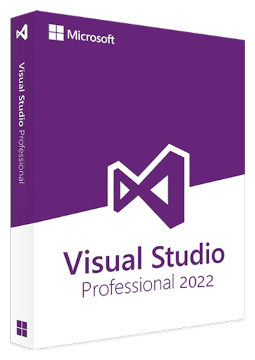
Microsoft Visual Studio Professional 2022 – New license, Transferable license
149.99 €
Language


Compatibility


- Description
- Information
- Instructions
Product description
Visual Studio 2022 Professional / Enterprise
Microsoft Visual Studio 2022 is a 64-bit development environment for Windows in which you build applications in C#, Visual Basic, F#, C++ or Python – for desktop, the web and the Azure cloud. The Professional edition is designed for individual developers and small teams, while Enterprise adds advanced debugging and testing such as IntelliTrace, Live Unit Testing and Microsoft Fakes. Visual Studio 2022 has mainstream support until 12 January 2027 and extended support with security updates until 13 January 2032. Lifetime licence for 1 device – unlock the IDE with a product key.
Key features
Everything Visual Studio 2022 Professional / Enterprise can do.
System requirements
Where you can run Visual Studio 2022 Professional / Enterprise.
How it works
Frequently asked questions
Product information
| Programming Languages: | C#, C++, CSS, Dart, F#, Go (Golang), HTML, Java, JavaScript, Kotlin, PHP, Python, R, Razor, Ruby, Rust, SQL, Swift, TypeScript, VB.NET |
| Delivery Method: | Electronically by e-mail |
| Type of license: | New (license validity starts from your first activation) |
| Activation type: | online (in the Office application) |
| Language: | English, Czech, Hungarian, German, Polish, Slovak |
| Compatibility: | Windows 10, Windows 11 |
| Licence validity: | Forever |
| Number of devices: | 1 device |
| Manufacturer: | Microsoft |
Product instructions
Visual Studio 2022 Professional / Enterprise
Installation and activation
- On the Visual Studio 2022 release history page, download the installer (bootstrapper) for your edition – Professional or Enterprise – from the fixed version bootstrappers table.
- Run the downloaded file, select Yes in the User Account Control prompt and accept the licence terms and privacy statement by selecting Continue.
- In the Visual Studio Installer, choose the workloads you need (for example ASP.NET and web development), pick a language on the Language packs tab if required and select Install.
- When the installation is complete, start Visual Studio and open File > Account Settings.
- Select the License with a Product Key link, paste the licence key from the e-mail and confirm.
- Check the licence information on the right of the Account Settings dialog – it should show your edition.
––––> Download Visual Studio 2022 – release history and installers <––––
––––> Unlock Visual Studio with a product key – Microsoft help <––––
––––> Install Visual Studio – Microsoft guide <––––
