


F-Secure VPN 2026 5 Devices, 1 Year
49.55 €
Language


- Description
- Information
- Instructions
Product description
F-Secure VPN
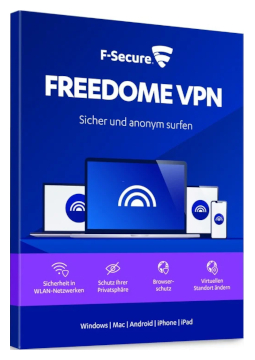
F-Secure VPN (formerly FREEDOME VPN) encrypts your internet connection and hides your real IP address from the websites you visit and from your internet service provider. It keeps your data safe on public Wi-Fi and lets you choose a virtual location in more than 20 countries. Online privacy is just one click away – with no data limits.
Key features
Everything F-Secure VPN can do.
F-Secure versions compared
What each version can do – choose the one that suits you.
| Product comparison | ID Protection | VPN | Internet Security | Total |
| Supported platforms | | | | |
| SECURITY AND SCAM PROTECTION | ||||
| Antivirus | | | | |
| Ransomware protection | | | | |
| Banking protection | | | | |
| Browsing protection | | | | |
| Shopping protection | | | | |
| SMS scam protection (Android, iOS) | | | | |
| Gaming mode (Windows) | | | | |
| PRIVACY AND VPN | ||||
| Personal VPN with an encrypted connection | | | | |
| Virtual location | | | | |
| Kill switch if the VPN drops (Windows, macOS, Android) | | | | |
| Unlimited VPN traffic | | | | |
| IDENTITY PROTECTION | ||||
| Password manager | | | | |
| 24/7 dark web identity monitoring | | | | |
| Breach alerts with expert advice | | | | |
| Identity theft help | | | | |
| View products | View products | View products | View products | |
System requirements
Where you can run F-Secure VPN.
How it works
Frequently asked questions
Product information
| Delivery Method: | Electronically by e-mail |
| Type of license: | New (license validity starts from your first activation) |
| Language: | English, Bulgarian, Czech, Croatian, Danish, Estonian, Finnish, French, Dutch, Italian, Japanese, Lithuanian, Hungarian, German, Norwegian, Polish, Portuguese, Greek, Romanian, Russian, Slovenian, Spanish, Serbian, Swedish, Turkish, Vietnamese |
| Licence validity: | 12 months |
| Number of devices: | 5 devices |
| Manufacturer: | F-Secure |
Product instructions
F-Secure VPN
Installation and activation
- Open My F-Secure and select Create new account. Enter your name, e-mail address and password, select Accept and create account and confirm your e-mail address using the link in the activation e-mail. If you already have an account, simply sign in.
- In My F-Secure, select Subscription in the top bar, choose Redeem subscription code from the I want to… menu, enter the licence key from your e-mail, select Continue and confirm the details with Accept.
- Select Add device, choose whose device you want to protect, select This computer and download the installation package. Run it, select Accept and continue to accept the licence terms and follow the on-screen instructions.
- To add a phone or tablet, use Add device as well: choose the device type, send yourself the installation link by e-mail or SMS, install the F-Secure app from the app store and sign in with the same account.
- Open the F-Secure app and turn on the switch under VPN (the first time, a Get started button is shown instead). The app connects to the location with the best connection; you can change the virtual location at any time.
- To have the VPN start automatically, open Settings in the VPN view and turn on Automatic VPN protection. You can also switch on Killswitch there.
- To check activation, open the F-Secure app, select the menu in the top-left corner and choose Subscription – you will see your subscription status and expiry date.
––––> Install F-Secure and redeem your subscription code <––––
––––> Sign in or create a My F-Secure account <––––
––––> User guide: turning on the VPN connection <––––
