
Sometimes it can happen that the delivered email with the order ends up in the SPAM folder. It is therefore necessary to check junk mail as well. Thank you.

FREE gift with every order.

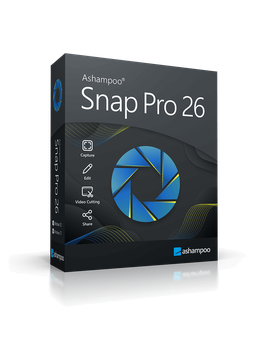
Ashampoo Snap Pro 26

15.99 €

In stock Expected delivery within 5 minutes. Delivery within a maximum of 15 minutes. The licence is lifetime. Lifetime warranty.
You will receive this product digitally by e-mail

Delivery Method

  • Electronically by e-mail

Type of license

  • New

Language

Licence validity

  • Forever

Number of devices

  • 1 device

Manufacturer

  • Ashampoo

Product description

​  Screenshots and screen recording made easy

Ashampoo Snap Pro 26

Ashampoo Snap Pro 26 captures anything on your screen – the full desktop, a window, a selected area or a scrolling web page – and records videos with sound. In the editor, you can add arrows, text, numbering or blur sensitive data straight away, then save or share the result. The new Live Edit feature even lets you draw annotations directly on your desktop before the screenshot is taken. Ideal for tutorials, documentation and quick explanations.

​
Live Edit
Place arrows, text and highlights directly on your desktop while the screen stays active.
​
Every capture mode
Full screen, windows, rectangular or freehand regions, and scrolling windows or web pages.
​
Video recording
Record your screen in up to 4K with sound, webcam, microphone commentary and click effects.
​
Quick editing
Text, arrows, automatic numbering, highlights and blurring or pixelating of sensitive data.
​
Text recognition (OCR)
Recognises text in screenshots in more than 180 languages using Windows language packs.
​
Export and sharing
Saves to PNG, JPG or PDF, videos to MP4 or WMV, and shares by e-mail or to cloud services such as Dropbox and OneDrive.

Key features

Everything Ashampoo Snap Pro 26 can do.

​ Live Edit – annotate directly on your desktop before taking the screenshot
​ Prepare and capture several screenshots in one workflow
​ Capture the full screen, windows, regions and scrolling pages
​ Timed captures and custom hotkeys
​ Text recognition (OCR) in over 180 languages
​ Video recording in up to 4K with sound, webcam and commentary
​ Mouse click effects and keyboard input display during recording
​ Cut and join videos and create animated GIFs
​ Text, curved arrows, automatic numbering, notes and fill tool
​ Blur and pixelate sensitive data
​ Full multi-monitor support with mixed resolutions and DPI
​ Export to PNG, JPG, BMP, PDF and Photoshop, share by e-mail or to the cloud

System requirements

Where you can run Ashampoo Snap Pro 26.

​
Windows
Windows 11 and 10 (64-bit), .NET Desktop Runtime 9 (x64) and Microsoft Edge WebView2 (x64); internet connection for activation

How it works

 
​
1.
Order
Choose the number of devices and licence length and pay securely online.
​
2.
Key by e-mail
Your licence key usually arrives within a few minutes.
​
3.
Activate
Download the app from the vendor's official website and enter the key – see the Instructions tab.

Frequently asked questions

 
​  How do I activate the licence?
Download Ashampoo Snap Pro 26 from the official Ashampoo website and run the setup. When prompted for your licence key, paste the key from your e-mail and click “Activate now!”. The Instructions tab has the full steps.
​  How many PCs can I use it on?
The licence covers 1 PC. If you move to a new computer, uninstall the program from the old one first. If activation then reports that the key has already been activated, you can reset the licence under Licenses in your Ashampoo account, or contact Ashampoo support.
​  Is the licence time-limited?
No, it is a lifetime licence with no subscr​iption. Activation requires an internet connection, and the program verifies the licence online at regular intervals.
​  Which languages is the program available in?
Snap Pro 26 is available in English, German, French, Polish, Czech, Slovak, Hungarian and many other languages.
​  How does Snap differ from the built-in Windows screenshot tool?
It offers much more: flexible capture modes including scrolling pages, instant editing with text and shapes, screen recording, automatic numbering, text recognition and advanced export options.
​  I already have the trial installed – do I need to reinstall?
No. Just launch Snap, click “Enter key manually” in the activation dialog, paste the key from your e-mail and click “Activate”.
​
Instant delivery
Key by e-mail within minutes
​
Guarantee of legality
Verified licences
​
Secure payment
Your data protected
​
Free gift
With every order
You will receive this product digitally by e-mail

Delivery Method

  • Electronically by e-mail

Type of license

  • New

Language

Licence validity

  • Forever

Number of devices

  • 1 device

Manufacturer

  • Ashampoo
