


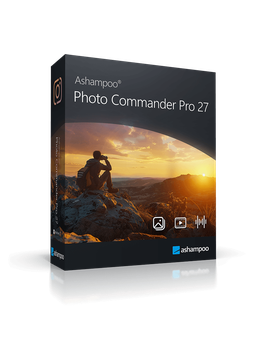
Ashampoo Photo Commander Pro 27
15.99 €
Language


- Description
- Information
- Instructions
Product description
Ashampoo Photo Commander Pro 27
Ashampoo Photo Commander Pro 27 is a comprehensive program for viewing, editing, organising and presenting photos, with more than 200 functions. It finds duplicates, sorts shots by date and location, edits them in batches and turns them into collages, cards, calendars and slideshows. The new version detects portraits locally on your PC without the cloud and supports JPEG XL and AVIF natively. More than 200 functions for your photos in a single program.
Key features
Everything Ashampoo Photo Commander Pro 27 can do.
System requirements
Where you can run Ashampoo Photo Commander Pro 27.
How it works
Frequently asked questions
Product information
| Delivery Method: | Electronically by e-mail |
| Type of license: | New (license validity starts from your first activation) |
| Language: | English, Czech, Hungarian, German, Polish, Slovak |
| Licence validity: | Forever |
| Number of devices: | 1 device |
| Manufacturer: | Ashampoo |
Product instructions
Ashampoo Photo Commander Pro 27
Installation and activation
- Download the Ashampoo Photo Commander Pro 27 setup file from the official Ashampoo website (link below).
- Run the downloaded file, confirm the prompt and follow the instructions. Ashampoo requires the free Ashampoo App for installation – if you don't have it yet, download it from the official Ashampoo App page (link below).
- In the Ashampoo App, sign in to your Ashampoo account or create a new one.
- Choose “Activate product” in the Ashampoo App and enter the licence key from your e-mail – this assigns the licence to your account.
- Photo Commander Pro 27 then appears under “Your Collection” in the Ashampoo App, where you can install and launch it.
- If the app reports that the key is already linked to another Ashampoo account, check that you are signed in with the right e-mail address or contact Ashampoo support.
- Installation and activation require an internet connection. If activation fails, temporarily disable your VPN and check that your firewall or antivirus is not blocking internet access.
––––> Download Ashampoo Photo Commander Pro 27 <––––
––––> Ashampoo Photo Commander Pro 27 on the official Ashampoo website <––––
––––> Ashampoo App on the official Ashampoo website <––––
