


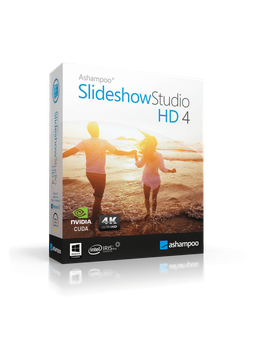
Ashampoo Slideshow Studio HD 4
12.86 €
Language


- Description
- Information
- Instructions
Product description
Ashampoo Slideshow Studio HD 4
Ashampoo Slideshow Studio HD 4 turns your photos into impressive slideshows with music, transitions, effects and your own voice narration. Wizards guide you through the whole process, and you can save the finished video in up to 4K as MP4, MKV or WebM, prepare it for a phone, tablet or games console, or burn it to DVD or Blu-ray. Holiday, wedding or business event – create a slideshow in a few clicks, no experience needed.
Key features
Everything Ashampoo Slideshow Studio HD 4 can do.
System requirements
Where you can run Ashampoo Slideshow Studio HD 4.
How it works
Frequently asked questions
Product information
| Delivery Method: | Electronically by e-mail |
| Type of license: | New (license validity starts from your first activation) |
| Language: | English, Czech, Hungarian, German, Polish, Slovak |
| Licence validity: | Forever |
| Number of devices: | 1 device |
| Manufacturer: | Ashampoo |
Product instructions
Ashampoo Slideshow Studio HD 4
Installation and activation
- On the official Ashampoo Slideshow Studio HD 4 page, click Download and save the installation file.
- Run the downloaded file and complete the installation using the wizard.
- When the setup or the program displays the activation window, choose to enter the key manually and paste the licence key from your email – ideally by copying it (Ctrl+C) and pasting it (Ctrl+V).
- Confirm the activation. Your computer must be connected to the internet, as the licence is verified online.
- Once the activation has been confirmed, you can use the program as the full version without the restrictions of the trial.
- If the program reports that the key has already been activated (error 157), reset the licence in your Ashampoo account under Licenses or contact Ashampoo support.
––––> Download Ashampoo Slideshow Studio HD 4 (official website) <––––
––––> Ashampoo guide: activating with a licence key <––––
