Sometimes it can happen that the delivered email with the order ends up in the SPAM folder. It is therefore necessary to check junk mail as well. Thank you.

FREE gift with every order.

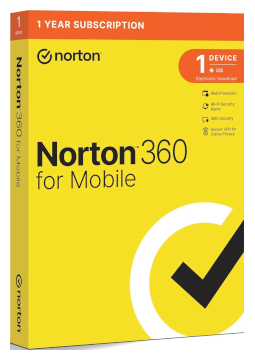
Norton Mobile Security Android 1 device, 1 year

12.39 €

In stock Expected delivery within 5 minutes. Delivery within a maximum of 15 minutes. The license starts when the code is activated. Lifetime warranty.
You will receive this product digitally by e-mail

Delivery Method

  • Electronically by e-mail

Type of license

  • New

Language

Licence validity

  • 12 months

Number of devices

  • 1 device

Manufacturer

  • Norton

Product variants

Product description

​  Protection for Android phones and iPhones

Norton Mobile Security

Norton Mobile Security protects one phone or tablet – an Android device or an iPhone or iPad, depending on the option you choose. It uses AI to detect scams in texts and on the web, warns you about unsafe Wi-Fi networks and, on Android, also protects against viruses and malicious apps. Choose the option that matches your device – Android or iOS.

​
AI-powered Scam Protection
Safe SMS uses AI to detect scam text messages and Safe Web checks the pages you visit. The Norton Genie assistant gives you tips to avoid scams.
​
Wi-Fi Security
Alerts you when a network you join is potentially dangerous or under attack, helping protect your personal and financial information.
​
Malware protection
On Android, protects your device in real time against ransomware, viruses, spyware and other malware and helps you remove threats.
​
App Advisor
On Android, warns you about malware, privacy risks and intrusive adware in apps before you download them from Google Play.
​
Norton Private Browser
Helps block advanced phishing scams and reduces annoying ads while you browse, bank and shop online.
​
Calendar Security
On iOS, identifies risky links in invitations in the Calendar app and notifies you of the latest security updates.

Key features

Everything Norton Mobile Security can do.

​ Licence for 1 device: Android option, or iPhone and iPad option
​ AI-powered Scam Protection on the web and in text messages
​ Safe SMS – AI detection of scam text messages
​ Safe Web – checks the pages you visit for scams as you browse and shop
​ Wi-Fi Security with alerts about dangerous or attacked networks
​ Norton Private Browser that blocks phishing and reduces ads
​ Norton Genie AI assistant with tips on avoiding scams
​ Device reports with a 30-day overview of scanned networks, websites and risks
​ Android: real-time malware protection and App Advisor for Google Play
​ iOS: alerts about OS vulnerabilities and updates, plus Calendar Security

System requirements

Where you can run Norton Mobile Security.

​
Android
Android 10 or later (ColorOS 7.1 or later) with Google Play installed and 50 MB of free space; multi-user mode is not supported.
​
iOS
iPhone or iPad running the current or one of the two previous versions of iOS (the Norton 360 app requires iOS 17 or later).

How it works

 
​
1.
Order
Choose the number of devices and licence length and pay securely online.
​
2.
Key by e-mail
Your licence key usually arrives within a few minutes.
​
3.
Activate
Download the app from the vendor's official website and enter the key – see the Instructions tab.

Frequently asked questions

 
​  How do I activate the protection?
Enter the product key at norton.com/setup and sign in to your Norton account (or create one). Then install the Norton 360 app on your phone from Google Play or the App Store and sign in with the same account. See the Instructions tab for the full steps.
​  Which option should I choose?
It depends on your device: the Android option for Android phones and tablets, the iOS option for iPhone and iPad. Each licence protects one device for 1 year.
​  Why is the app called Norton 360?
Norton delivers mobile protection through the Norton 360 app, which you download from Google Play or the App Store. Once you sign in to the account holding your subscr​iption, it protects your phone or tablet.
​  Which permissions does the Android app need?
For App Security, Internet Security and Wi-Fi Security you need to allow background running, display over other apps, the Norton 360 service, SMS access and location access. The app guides you through the setup.
​  I have Norton 360 Deluxe or Premium – do I need Mobile Security separately?
No. Norton 360 Deluxe and Norton 360 Premium already include the Norton Mobile Security app for phones and tablets.
​  How do I renew my subscr​iption?
Buy a new key and enter it at norton.com/setup. Any days left on your current subscr​iption are not added to the new key, so activate it when your current subscr​iption is about to end.
​
Instant delivery
Key by e-mail within minutes
​
Guarantee of legality
Verified licences
​
Secure payment
Your data protected
​
Free gift
With every order
You will receive this product digitally by e-mail

Delivery Method

  • Electronically by e-mail

Type of license

  • New

Language

Licence validity

  • 12 months

Number of devices

  • 1 device

Manufacturer

  • Norton