Sometimes it can happen that the delivered email with the order ends up in the SPAM folder. It is therefore necessary to check junk mail as well. Thank you.

FREE gift with every order.

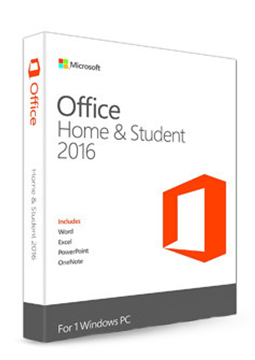
Microsoft Office 2016 Home and Student

11.99 €

In stock Expected delivery within 5 minutes. Delivery within a maximum of 15 minutes. The licence is lifetime. Lifetime warranty.
You will receive this product digitally by e-mail

Delivery Method

  • Electronically by e-mail

Type of license

  • New

Activation type

  • online (in the Office application)

Language

Compatibility

Licence validity

  • Forever

Number of devices

  • 1 device

Manufacturer

  • Microsoft

Product variants

Product description

​  Classic Office, perpetual licence

Microsoft Office 2016

Office 2016 is an earlier version of Microsoft's office suite with a perpetual licence for one installation and no subscr​iption. It includes the classic desktop apps Word, Excel, PowerPoint and OneNote and, depending on the edition, Outlook. Microsoft ended support for Office 2016 on 14 October 2025, so it no longer releases fixes or security updates. Pay once – no subscr​iption and no licence renewals.

​
Word, Excel, PowerPoint and OneNote
The classic apps for documents, spreadsheets, presentations and notes, installed directly on your computer.
​
Outlook in selected editions
Home & Business (for Windows and Mac) and Professional Plus also include the Outlook email client.
​
Perpetual licence
Buy Office 2016 once and use it without a subscr​iption. A one-time purchase of Office is licensed for one installation.
​
Support ended 14 Oct 2025
Microsoft no longer provides fixes, security updates or technical support. The apps may keep working, but without security fixes they are more vulnerable.
​
Windows and Mac
For Windows 11 and 10. Home & Business is also available for Mac, but support for it already ended on 13 October 2020.
​
Many languages
Office 2016 is fully localised in English, Czech, Slovak, Polish and Hungarian, and further language packs can be added.

Key features

Everything Microsoft Office 2016 can do.

​ Office Home & Student 2016: Word, Excel, PowerPoint and OneNote
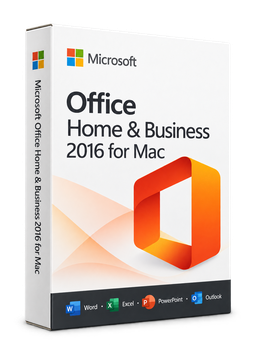
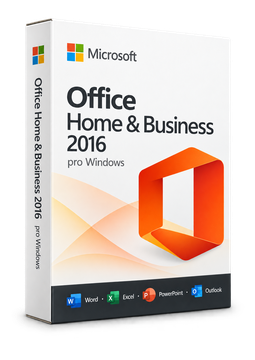
​ Office Home & Business 2016: adds Outlook, for Windows or Mac
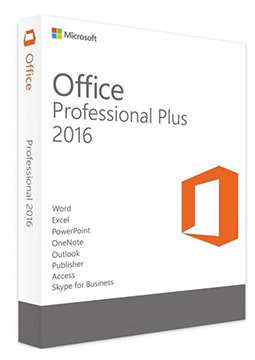
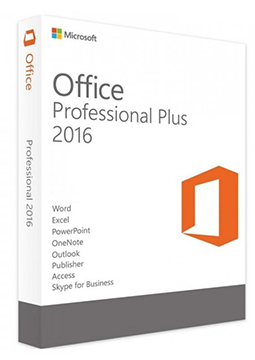
​ Office Professional Plus 2016: a volume-licensed edition for organisations
​ One-time licence for one installation, no subscr​iption
​ Redeem the product key at setup.office.com and download Office from your Microsoft account
​ Choice of language and 32-bit or 64-bit version when downloading
​ On a Mac you can choose to install only the apps you want
​ Reinstall at any time from your Microsoft account without re-entering the key
​ Fully localised in English, Czech, Slovak, Polish and Hungarian
​ Microsoft support ended on 14 October 2025 – no more security updates

System requirements

Where you can run Microsoft Office 2016.

​
Windows
Windows 11 or Windows 10, 1 GHz processor with SSE2, 2 GB RAM, 3 GB free disk space, 1024 × 768 display, DirectX 10 graphics, .NET 3.5.
​
macOS
Office Home & Business 2016 for Mac – Microsoft support ended on 13 October 2020 and no further updates are released.

How it works

 
​
1.
Order
Choose the number of devices and licence length and pay securely online.
​
2.
Key by e-mail
Your licence key usually arrives within a few minutes.
​
3.
Activate
Download the app from the vendor's official website and enter the key – see the Instructions tab.

Frequently asked questions

 
​  Is Office 2016 still supported?
No. Microsoft ended support for Office 2016 on 14 October 2025 and no longer releases fixes or security updates. The apps may keep working, but Microsoft warns of security risks and recommends moving to a newer version of Office.
​  On how many computers can I use Office 2016?
A one-time purchase of Office is licensed for one installation. Whether the licence is linked to a Microsoft account or activated directly in the app is shown in the parameters of the variant you choose.
​  When does the licence start and when does it expire?
The licence is perpetual: it has no expiry date and there is no subscr​iption or renewal to pay.
​  How do I activate Office 2016?
First redeem the product key at setup.office.com, then download Office from your Microsoft account. When you open an app and accept the licence terms, Office usually activates automatically; otherwise the activation wizard opens. See the Instructions tab for the full steps.
​  Which languages is Office 2016 available in?
Office 2016 is fully localised in English, Czech, Slovak, Polish, Hungarian and many other languages; you choose the language when downloading the installer.
​  Does Office 2016 work on Windows 11?
Yes, Microsoft lists Windows 11 and Windows 10 as supported systems. Windows 7 and 8.1 are no longer among them.
​
Instant delivery
Key by e-mail within minutes
​
Guarantee of legality
Verified licences
​
Secure payment
Your data protected
​
Free gift
With every order
You will receive this product digitally by e-mail

Delivery Method

  • Electronically by e-mail

Type of license

  • New

Activation type

  • online (in the Office application)

Language

Compatibility

Licence validity

  • Forever

Number of devices

  • 1 device

Manufacturer

  • Microsoft