


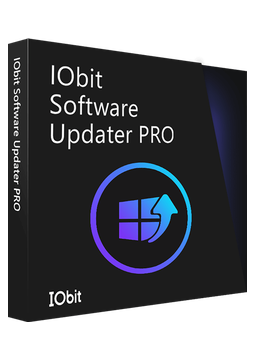
IObit Software Updater 9 PRO - 1 Device, 1 Year
6.38 €
Language


Compatibility

- Description
- Information
- Instructions
Product description
IObit Software Updater 9 PRO
IObit Software Updater 9 PRO keeps an eye on the programs installed on your PC and updates outdated versions in one click or fully automatically in the background. Updates come from official sources without bundled extras, and a system restore point is created before each installation. More than 1,100 popular apps are supported. PRO removes the free version's daily limit and updates your apps for you.
Key features
Everything IObit Software Updater 9 PRO can do.
System requirements
Where you can run IObit Software Updater 9 PRO.
How it works
Frequently asked questions
Product information
| Delivery Method: | Electronically by e-mail |
| Type of license: | New (license validity starts from your first activation) |
| Language: | English, Czech, Hungarian, German, Polish, Slovak |
| Compatibility: | Windows 7 and later |
| Licence validity: | 12 months |
| Number of devices: | 1 device |
| Manufacturer: | IObit |
Product instructions
IObit Software Updater 9 PRO
Installation and activation
- On the official IObit Software Updater page, click Free Download and save the installer.
- Run the downloaded file and complete the installation wizard.
- Open IObit Software Updater and click the Enter Code link at the bottom right of the main window (below the Activate Now button).
- Paste the licence code from your e-mail into the License Code box and click Activate.
- Click Manage License at the bottom right to check that the licence is active.
- In Settings you can schedule automatic updates for the apps in your Auto Update List.
––––> Download IObit Software Updater <––––
––––> How to activate the licence <––––
––––> IObit Software Updater user manual <––––
